Every place that sells your products, on werk's own map. Visitors search by city or postcode, filter by type or let the browser find the nearest ones, see who is open right now and get directions in Apple or Google Maps. Classic puts the list beside the map, Night lets the map fill the section with the list on glass. The map is drawn from Natural Earth on your page – no Google key, no cookies; Mapbox street maps only if you bring a token.
In your theme code editor (Online Store → ⋯ → Edit code), click the sections folder, then “New File”, name it and hit Enter.
02
Paste the code
In the file that just opened, paste the code below. Then hit Save (top right corner).
Note: Shopify shows no confirmation when a section saves – that’s normal.
03
Add it in the theme editor
Saved? Then reload the theme editor – otherwise the new section sometimes doesn’t show up. After that: Edit theme → Add section → . Everything else is in the sidebar – the Docs below explain every setting.
Code
One file. Copy it, paste it, done.
sections/werk-store-locator.liquid
Locked
{%- comment -%} werk · Store Locator · v1.0.1 · werk.build/license – do not remove {%- endcomment -%}{%- liquid assign s = section.settings # Demo pictures, fonts and the map tiles load from the werk demo store's Files (Shopify CDN), so the section # looks the same in any store. The map is werk's own (Natural Earth, public domain) – no map service, no key. assign werk_cdn = 'https://cdn.shopify.com/s/files/1/0954/8303/5932/files/' assign font_url = werk_cdn | append: 'werk-onest.woff2' assign mono_url = werk_cdn | append: 'werk-geist-mono.woff2' if s.font_url != blank assign font_url = s.font_url endif if s.mono_font_url != blank
3520 lines · Liquid, CSS & vanilla JS
Free – just add your email
Every section is free during launch. Enter your email once and copy any code you like.
Edit theme → open the page → Add section → or . It comes with eight demo stores, so you see everything right away.
2
Make the stores yours
Change each Store block: name, type, address and opening hours. Delete the demo stores you don't need, add one block per place.
3
Put them on the map
In Google Maps right-click each place, click the numbers at the top of the menu and paste them into Position on the map.
4
Check it
Preview the page: search for a city, tap Near me, click a pin.
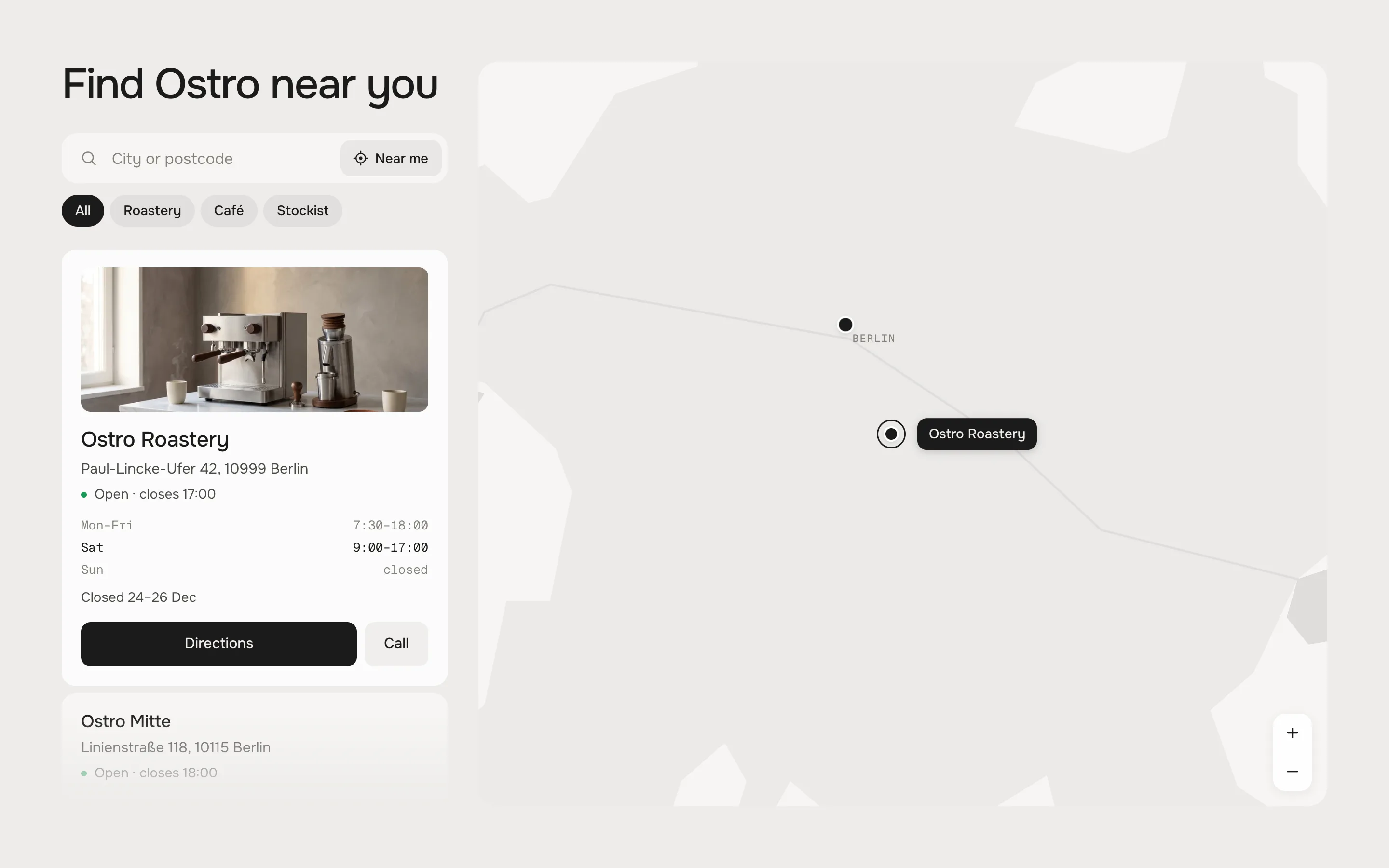
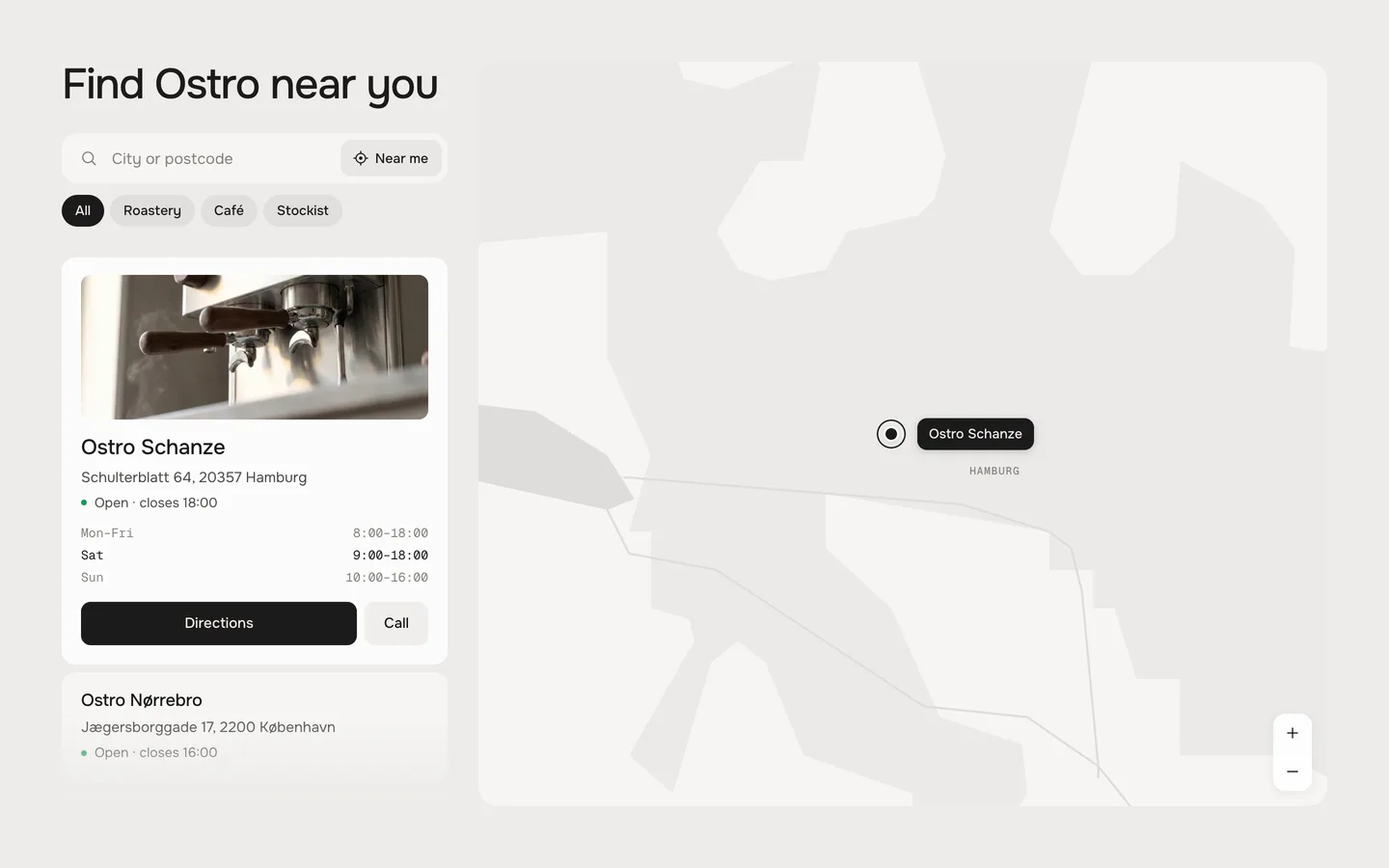
Click a store or its pin: the map flies there, the store opens with its picture, hours and directions
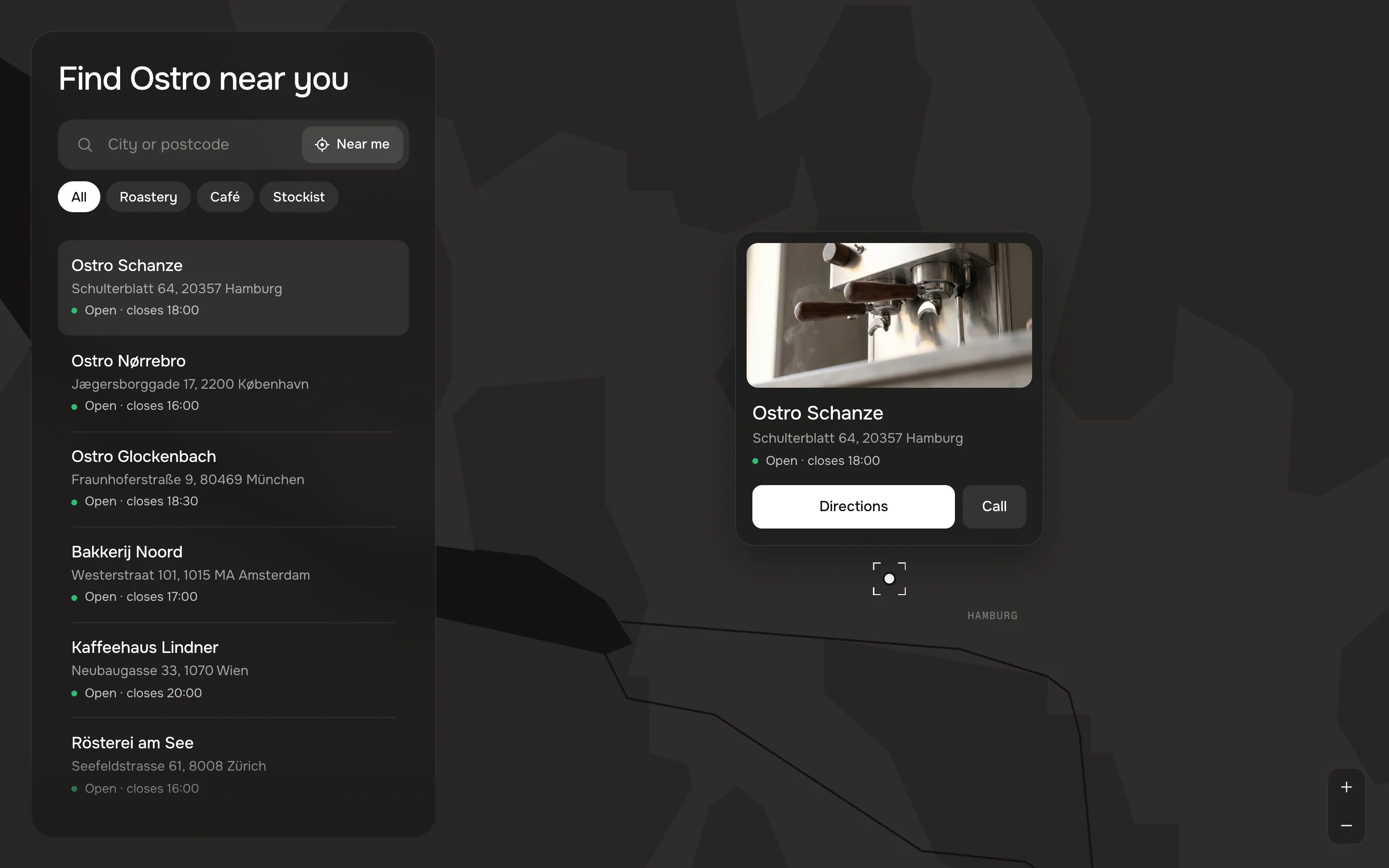
Classic and Night
•Classic – the list beside the map. A store opens in the list with its picture, the hours of every day and the buttons.
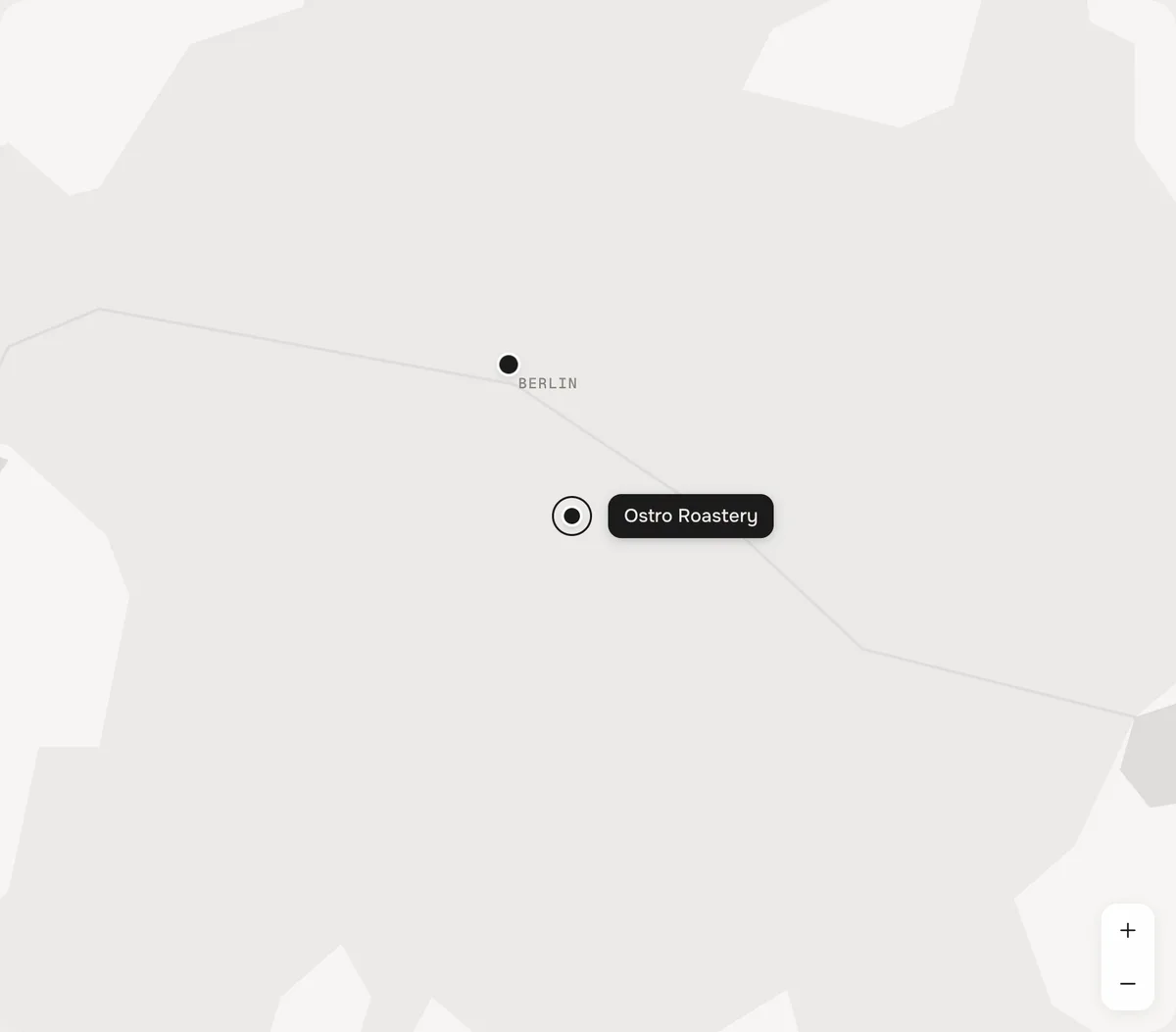
•Night – the map fills the section, the list floats on glass. A store opens as a glass card right above its pin.
Finding a store
•Search – type a city, a postcode, a name or a street. The list shows the matches as you type and the map moves to them.
•Type filters – one chip per store type (Café, Stockist …). The map follows.
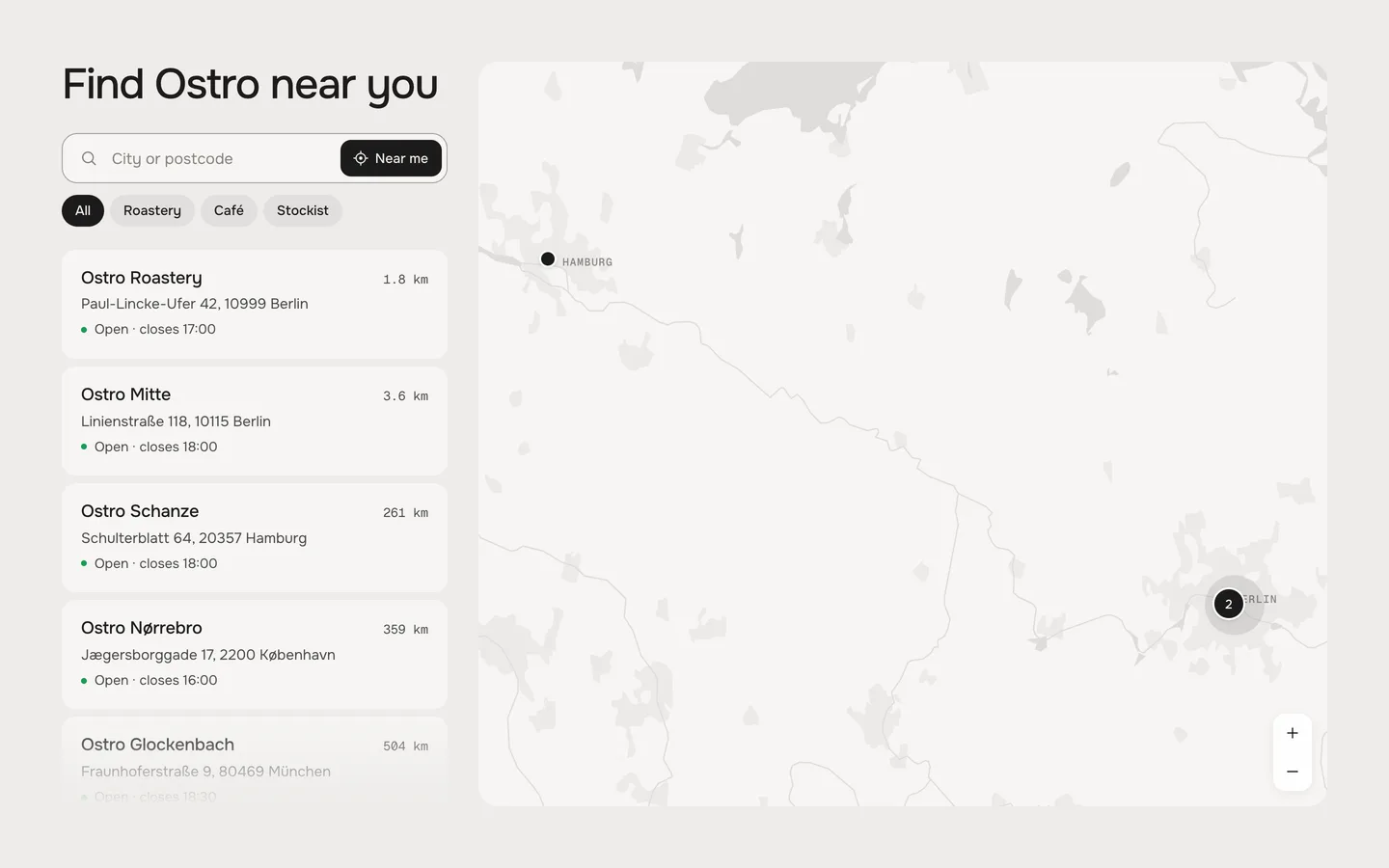
•Near me – the browser asks for the visitor's location, the list sorts itself by distance and the map shows the nearest stores. The location never leaves the browser.
•The map – drag, pinch, double-click, the + and − buttons, or ⌘ / Ctrl + scroll. A plain scroll always scrolls the page.
Near me: sorted by distance, the nearest stores on the map
Pins
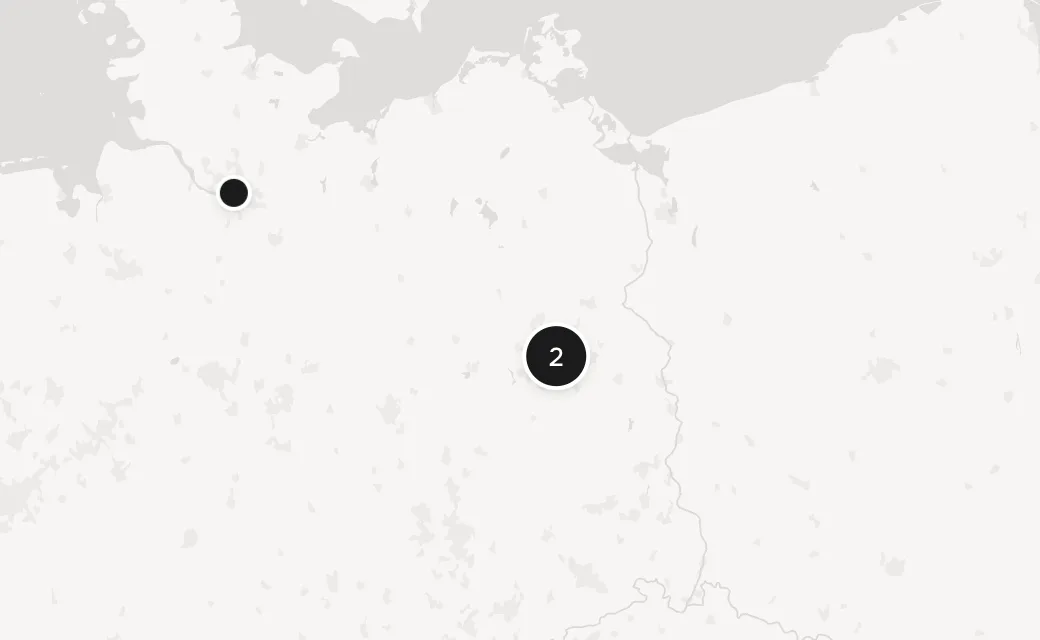
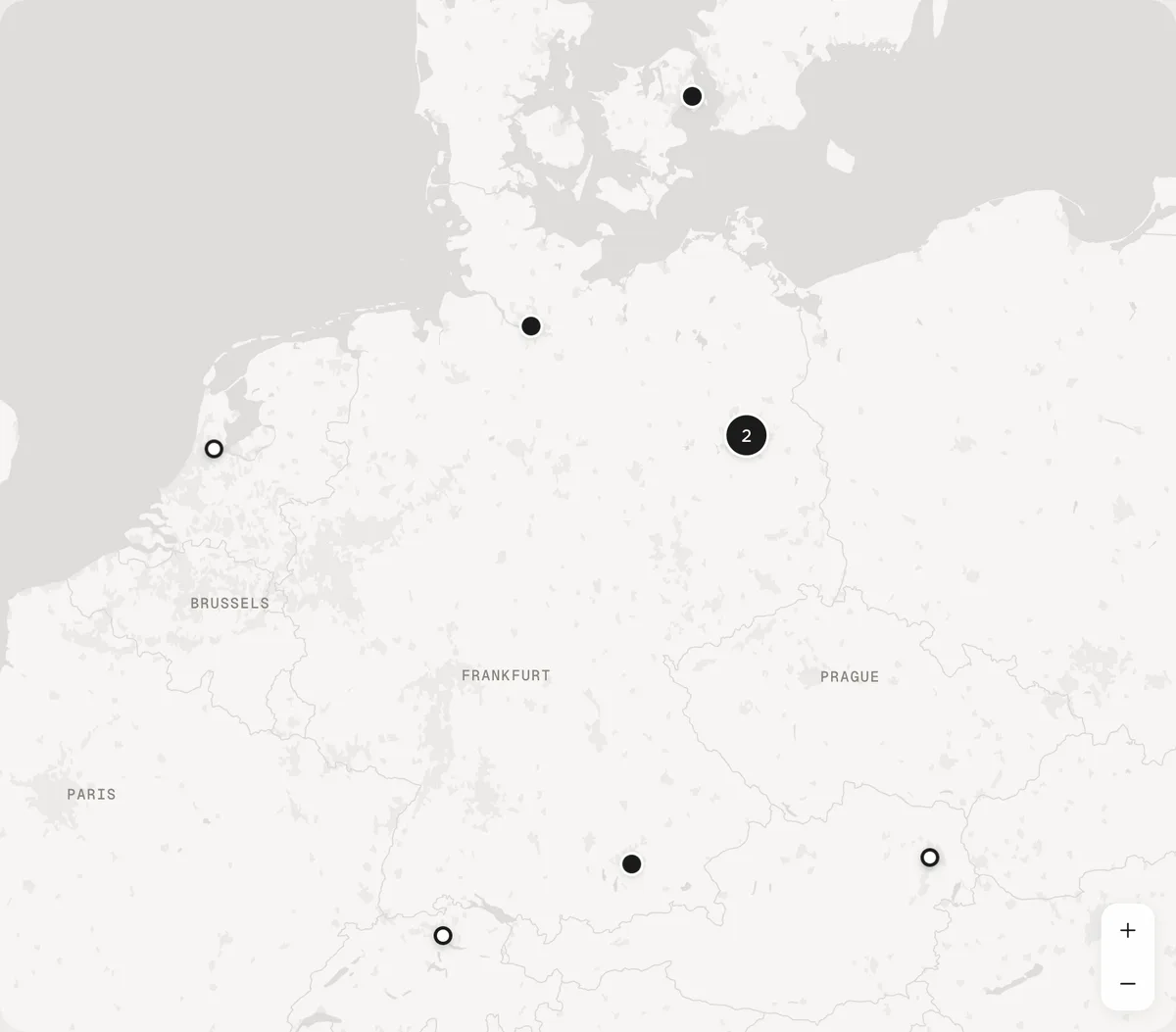
Each store is a dot – or a ring, if you set its Pin to Ring (e.g. for stockists). Pins that touch become one with a count; click it and the map zooms in until they part. The chosen store keeps its own pin: a fine ring in Classic, four corners in Night.
Two Berlin stores as one pin with a count
Heading
Default · Find Ostro near you
Bold, italic and links work. Empty hides it – the search moves up.
Look
Default · Classic
Classic or Night. Each look has its own preset under Add section, so you can start from either.
Classic
Night
Search
Default · On
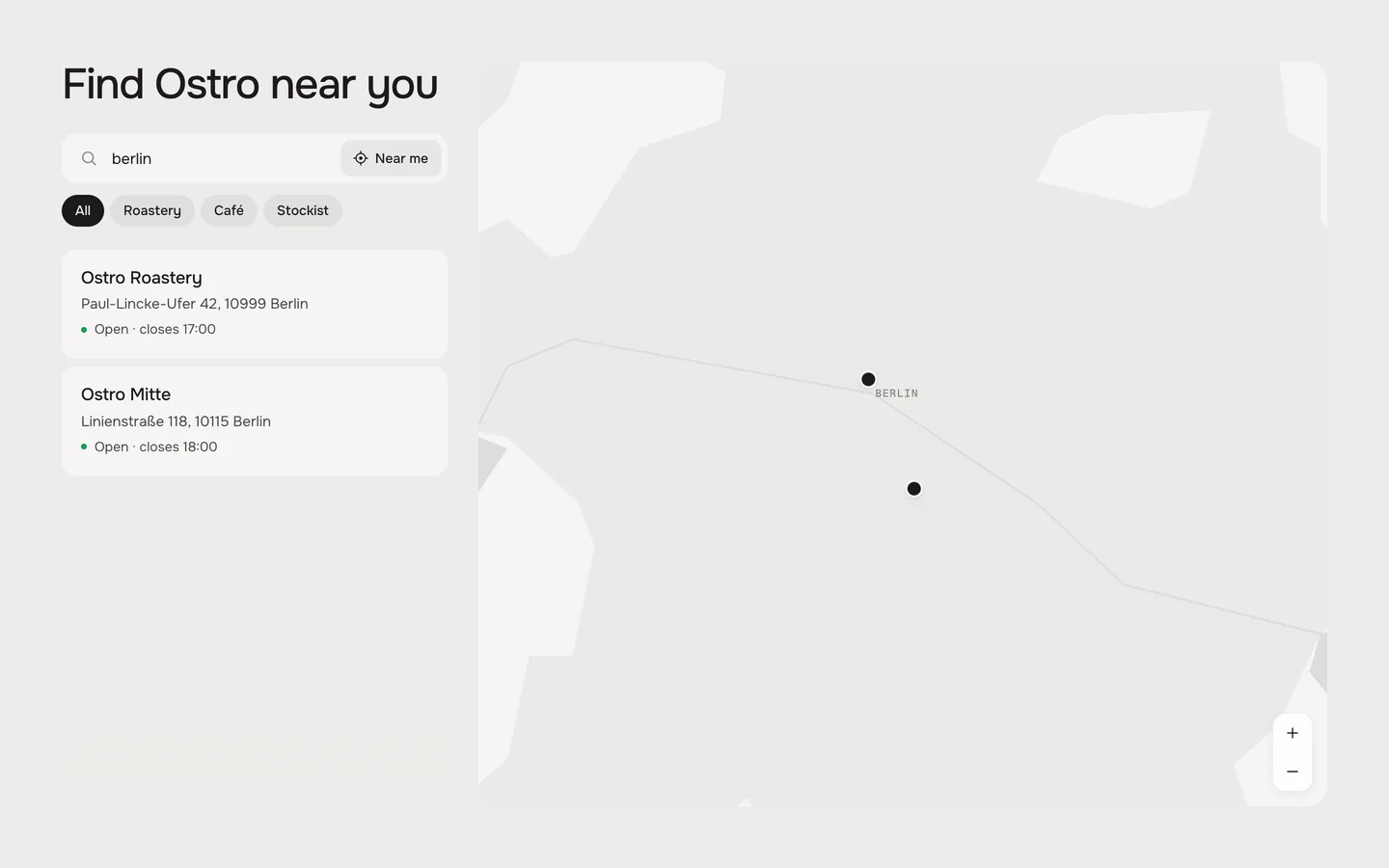
A search field above the list. It looks in the name, type, address and note of every store – no map service needed. Several words must all match.
“berlin” – two stores left, the map moves to them
Near me
Default · On
The Near me button in the search field (on phones only the icon). The browser asks first; if the visitor says no, a short note says so.
Distances
Default · Automatic
Automatic shows miles to visitors in the US and the UK, kilometres to everyone else.
Automatic
Kilometres
Miles
Type filters
Default · On
One chip per store type, in the order of your blocks, with All first. Hidden while all stores share one type.
Theme editor
Store Locator
Store: Ostro Roastery
Store: Ostro Mitte
Store: Ostro Schanze
Store
A place on the map and in the list, in the order of the blocks.
SettingWhat it doesDefault
NameThe name in the list, on the pin and in Directions.Store
TypeCafé, Roastery, Stockist … Stores with the same type share a filter chip.Empty
PinDot or Ring – rings can mark stockists apart from your own shops.Dot
AddressShown under the name; Directions use it while there is no position.Empty
Position on the mapThe numbers from Google Maps (52.4955, 13.4240) or its long link.Empty
PictureShows when the store is open. Without one the store opens without a picture.Empty
Opening hoursOne line per day or range – see Opening hours.Empty
NoteOne short line under the hours, e.g. Closed 24–26 Dec.Empty
PhoneShows a Call button.Empty
WebsiteShows a Website link.Empty
Time zoneOnly for a store in another time zone than your shop, e.g. Europe/Vienna.Empty
Position on the map
In Google Maps, right-click the place – the first line of the menu shows its numbers (52.4955, 13.4240). Click them to copy and paste them into Position on the map. The long link from the browser's address bar works too, and so do degrees (52°29′43.8″N 13°25′26.4″E).
Directions, Call, Website
Directions opens Apple Maps on iPhone, iPad and Mac and Google Maps everywhere else (see Directions open), straight to the store's position. Call dials the phone number, Website opens in a new tab.
Open now
Default · On
Under every store: Open · closes 18:00 (green), Closes in 25 min (in the last half hour, in your accent colour) or Closed · opens Sat 9:00. Each store counts in its own time zone, and the line updates while the page is open.
Time format
Default · 24-hour (18:00)
18:00 or 6 pm – in the status and nowhere else. The hours themselves show as you wrote them.
24-hour (18:00)
12-hour (6 pm)
Day names
Default · Mon,Tue,Wed,Thu,Fri,Sat,Sun
Write your hours in another language? Put your seven day names here, from Monday – they work in the hours and show in “opens Sat 9:00”. English and German day names always work.
How to write the hours
One line per day or range of days:
You writeMeans
Mon–Fri 8:00–18:00Monday to Friday, 8 am to 6 pm
Sat 9–14Saturday, 9 am to 2 pm
Sun closedClosed on Sunday (also: geschlossen, Ruhetag)
Mon–Fri 8:00–12:00, 13:00–18:00A lunch break
Thu–Sat 18:00–02:00Open past midnight
Daily 10–22Every day (also: Täglich, Weekdays, Weekends)
Open 24/7Around the clock
Mon–Fri 9am–5:30pm12-hour times work too
Today's line is highlighted in the open store.
Map
Default · werk map
werk map: countries, coasts, lakes, rivers and cities from Natural Earth – no key, no cookies, down to city level. Mapbox: street maps with your own token.
werk mapcountries, coasts, lakes, rivers, built-up areas and city names from Natural Earth, drawn in the section's colours. Nothing to sign up for, no key, no cookies; the map files load from werk's Shopify CDN like the fonts. It goes down to city level – for the way to the door, Directions takes over.
Mapboxstreet maps from Mapbox with your own token. Without a token the werk map shows.
OverviewCity level
Mapbox token
Default · Empty
A public token (it starts with pk.) from your account on mapbox.com. Limit it to your domain there – the token is visible in the page. If Mapbox turns the token down (wrong, or limited to another domain), the werk map shows.
Mapbox style URL
Default · Empty
Your own style from Mapbox Studio. Empty uses Mapbox Light in Classic and Mapbox Dark in Night.
Zoom on a store
Default · 12
How close the map flies to a chosen store. The werk map stops at about 11 (a city); Mapbox goes down to the street.
City names
Default · On
City names on the werk map – only the bigger towns at each zoom, never on a pin.
Directions open
Default · Apple Maps on Apple devices, else Google Maps
Which app the Directions button opens.
Apple Maps on Apple devices, else Google Maps
Google Maps
Apple Maps
Height
Default · 820px
How tall the section is on wide screens – never taller than the screen. On tablets and phones Classic stacks list and map and Night fills the screen.
Top padding
Default · 64px
Space above the section. Night comes without it, so the map touches the sections around it.
Bottom padding
Default · 64px
Space below the section.
Side padding
Default · Match theme
Match theme (the default) lines the section up with your theme's page margin – in Horizon the same edge as header and footer. Themes without one, like Dawn, keep the werk edge. werk default always uses the werk edge, Custom takes your own values in px (desktop and tablets / phones), None runs the content to the edge.
Fonts
Default · Design fonts
Onest and Geist Mono from werk's CDN. Use theme fonts swaps every font at once. Or swap each one with its own URL – Self-hosted font URL replaces Onest; Label font URL replaces Geist Mono (the hours, distances and city names on the map). Empty keeps werk's font.
1Background#EDECE9The section – in Night also the sea on the map
2Text#1C1B1AHeading, names, pins
3Small text#85827CClosed stores, city names on the map
4Cards and panel#F6F5F3Classic: the store cards and the land on the map. Night: the glass panel
5Accent#F2571FThe “closes soon” dot and the hover of Dot to arrow and Fill
The map follows these colours: sea, land, borders and city names are mixed from them, so a light, dark or coloured section gets a matching map. Use theme colors takes the text and background colour of the page around the section. Button and Button text give Directions its own colours – empty keeps the design.
Classic with dark colours – the map follows
Buttons
Default · Clean
Use theme buttons gives Directions and Call your theme's style. Button style sets how the buttons and the Website link react on hover.
Hover them – click a button for loading → added
WebsiteCleanGrows a touch, the underline runs out and backWebsiteDot to arrowThe dot grows into an arrowWebsiteRolling textThe label rolls up, a copy followsWebsiteFillColour wipes in from the leftWebsiteShineA band of light passes over
Easing
Default · werk Signature
The curve of the map's flights, the store opening and the sheet.
werk Signature
Smooth
Bounce
Snap
Glide
werk SignatureSlow start, soft landing
SmoothEven and quiet
BounceA little past and back
SnapQuick start, gentle stop
GlideSlow in, slow out
Animations
Default · On
Off: the map jumps instead of flying, stores open without motion. Visitors who turned on “reduce motion” on their device always get this.
SearchCity or postcodeThe search field
Near meNear meThe button in the search field
All stores filterAllThe first filter chip
Map button (phones)MapClassic on phones: opens the map Only in Classic
DirectionsDirectionsThe main button of a store
CallCallShown with a phone number
WebsiteWebsiteShown with a website
OpenOpen · closes [time][time] = closing time
Open around the clockOpen 24 hoursStores open 24/7
Closes soonCloses in [minutes] minThe last 30 minutes
ClosedClosed · opens [day] [time][day] = the day's name, or Today
TodaytodayStands for [day] when a store opens later today
No resultsNo stores match “[query]”.When the search finds nothing
Location not availableWe couldn't get your location. Search for a city instead.When Near me gets no location
Screen reader: mapMap of our storesName of the map
Screen reader: filtersStore typesName of the filter group
Screen reader: pinShow [store]Label of every pin
Screen reader: several pins[count] stores – zoom inLabel of a pin with a count
Screen reader: zoom inZoom inThe + button
Screen reader: zoom outZoom outThe − button
Screen reader: close the mapClose mapClassic on phones: the X Only in Classic
Screen reader: back to the listBack to all storesNight on phones: the arrow Only in Night
Note in the editorNo position yet – paste a Google Maps link or “lat, lng”.Only you see it, in the editor
Desktop · list beside the map
Tablet · map on top, two columns
Phone · the list, the map one tap away
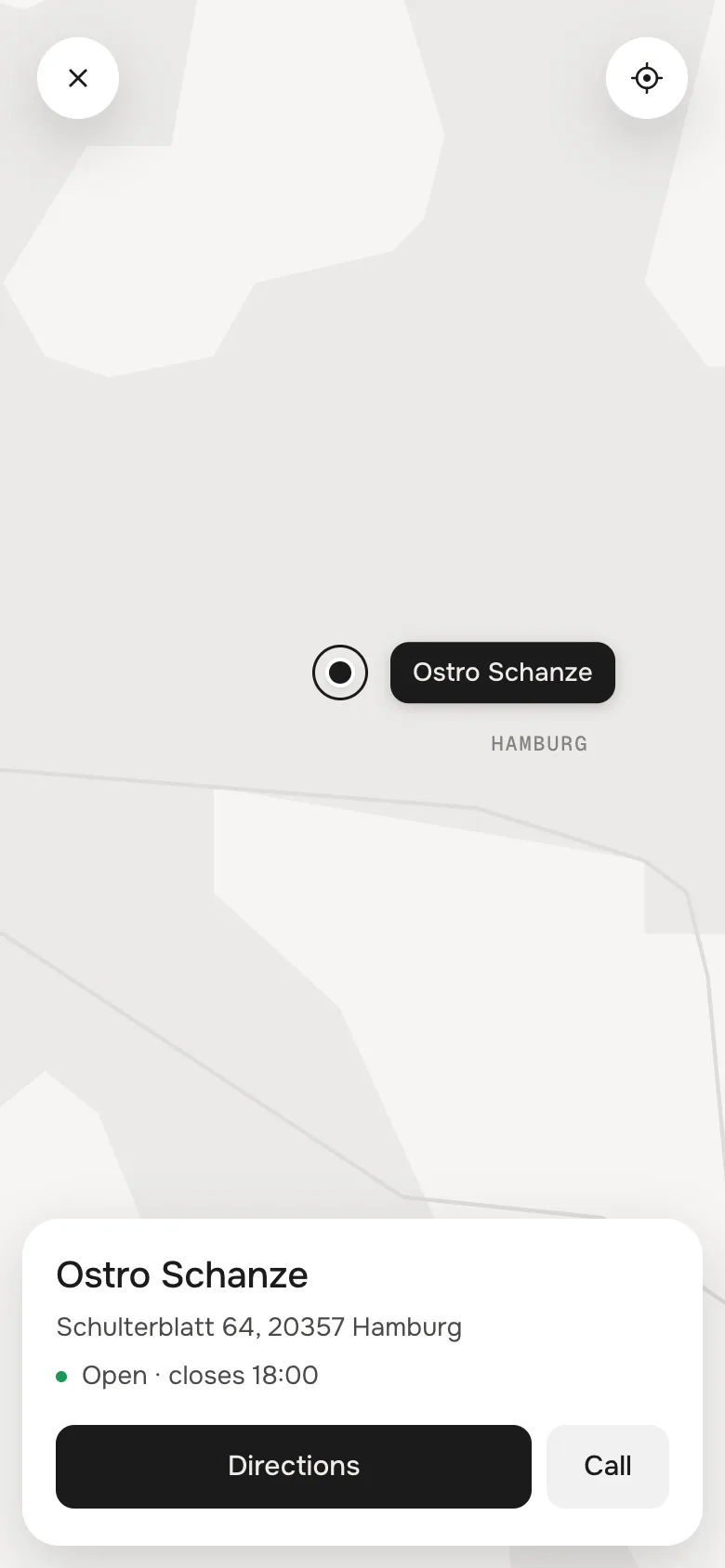
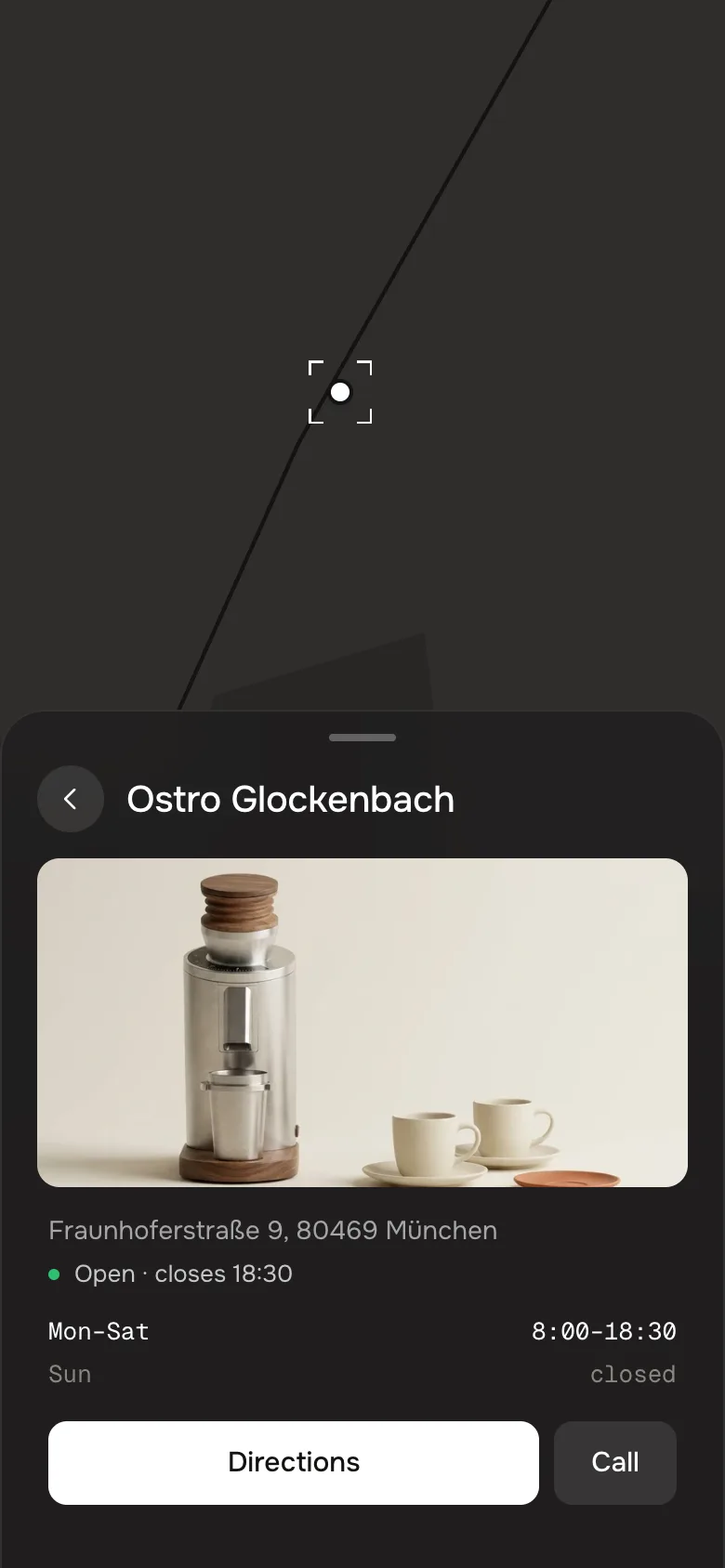
Classic · the mapNight · a store
DesktopTabletPhone
ClassicList beside the mapMap on top, list in two columnsList, Map button opens the map full screen
NightList on a glass panelMap, list as a sheet from belowMap, list as a sheet from below
A chosen storeOpens in the list (Classic) or as a glass card (Night)Opens in the list (Classic) or in the sheet (Night)Card at the bottom of the map (Classic) or in the sheet (Night)
Near meButton with textButton with textIcon
The Night sheet rests low and shows the search; drag it up for the whole list, or tap its handle. A bar fixed at the bottom of the screen – a docked menu, a cookie or chat bar – is measured: the Map button and the sheet stay above it.
The editor follows you
Click a Store block in the theme editor and the map shows that store.
No tracking
The werk map needs no key and sets no cookies. Near me asks the browser and keeps the location there.
Light on the page
The map loads only the pieces it shows, each a few kilobytes from Shopify's CDN – a typical view needs two to six. Nothing runs while the map stands still.
Every time zone
Each store can have its own time zone – a shop in Vienna and a stockist in New York both show the right status.
Horizon4.2TestedMap, pins, search, Near me, glass card and sheets, theme fonts, colours and buttons
Dawn16TestedMap, pins, search, Near me, glass card and sheets, theme fonts, colours and buttons
A store has no pin.
Its position is missing or can't be read. Paste the numbers from Google Maps (right-click the place) – the short share link (maps.app.goo.gl) doesn't carry them. In the editor such a store shows a note.
A pin is in the wrong place.
Latitude and longitude are swapped – the first number is north–south (52.49 for Berlin), the second east–west (13.42).
The status says closed although the store is open.
Check the line for today in Opening hours (Mon–Fri 8:00–18:00) – and the Time zone, if the store is in another one than your shop.
Near me does nothing.
The visitor said no, or the browser blocks locations on this site. The page shows a note; searching for a city always works.
I want street names.
The werk map stops at city level. Switch Map to Mapbox and add your token – or rely on Directions, which opens the visitor's map app.
The list is cut at the bottom.
On wide screens the list scrolls inside the section. Raise Height, or use fewer, shorter notes.
1.0.117 Oct 2026
FixedFix: a Mapbox token that Mapbox turns down (wrong, or limited to another domain) left the map blank. The section now switches to the werk map.
NewTested with a real Mapbox token: Light (Classic) and Dark (Night), pins and count pins, the glass card, the sheets, the full screen map on phones, cooperative gestures.
1.0.017 Oct 2026
NewFirst stable release: the code of 0.1.0 plus the docs, the showroom page and the preview videos. Tested in Horizon and Dawn, including the theme switches.
FixedFix: with dark custom colours in Classic, the open store, the zoom buttons and the full screen map's buttons and store card stayed white (white text on a light card). Raised surfaces now lift the card colour when it is dark – also with Use theme colors on a dark page.
* Built for Online Store 2.0 and tested in Shopify's Horizon and Dawn themes. Heavily customised or older themes can still clash with it – if something looks off, write us and we'll take a look.
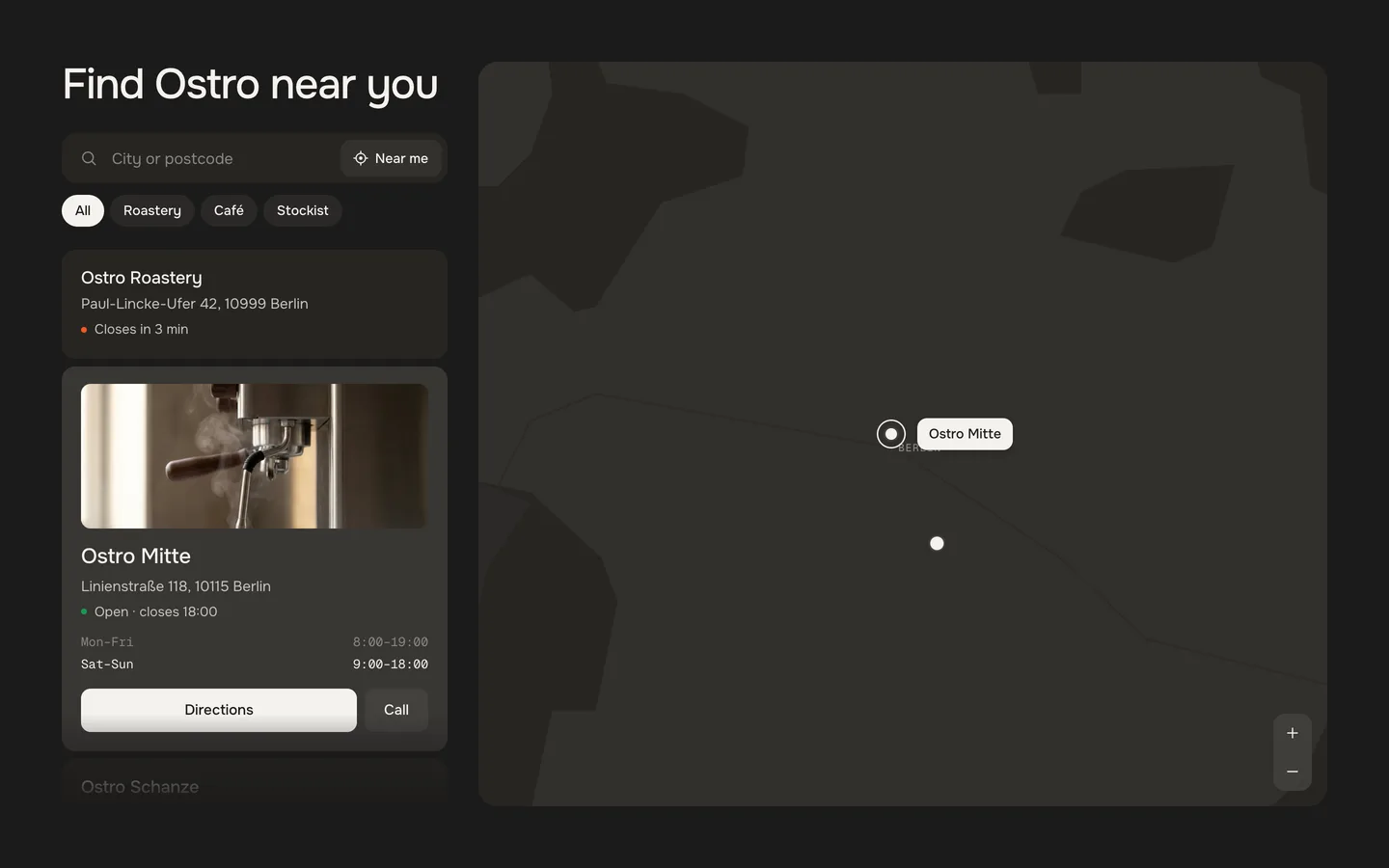
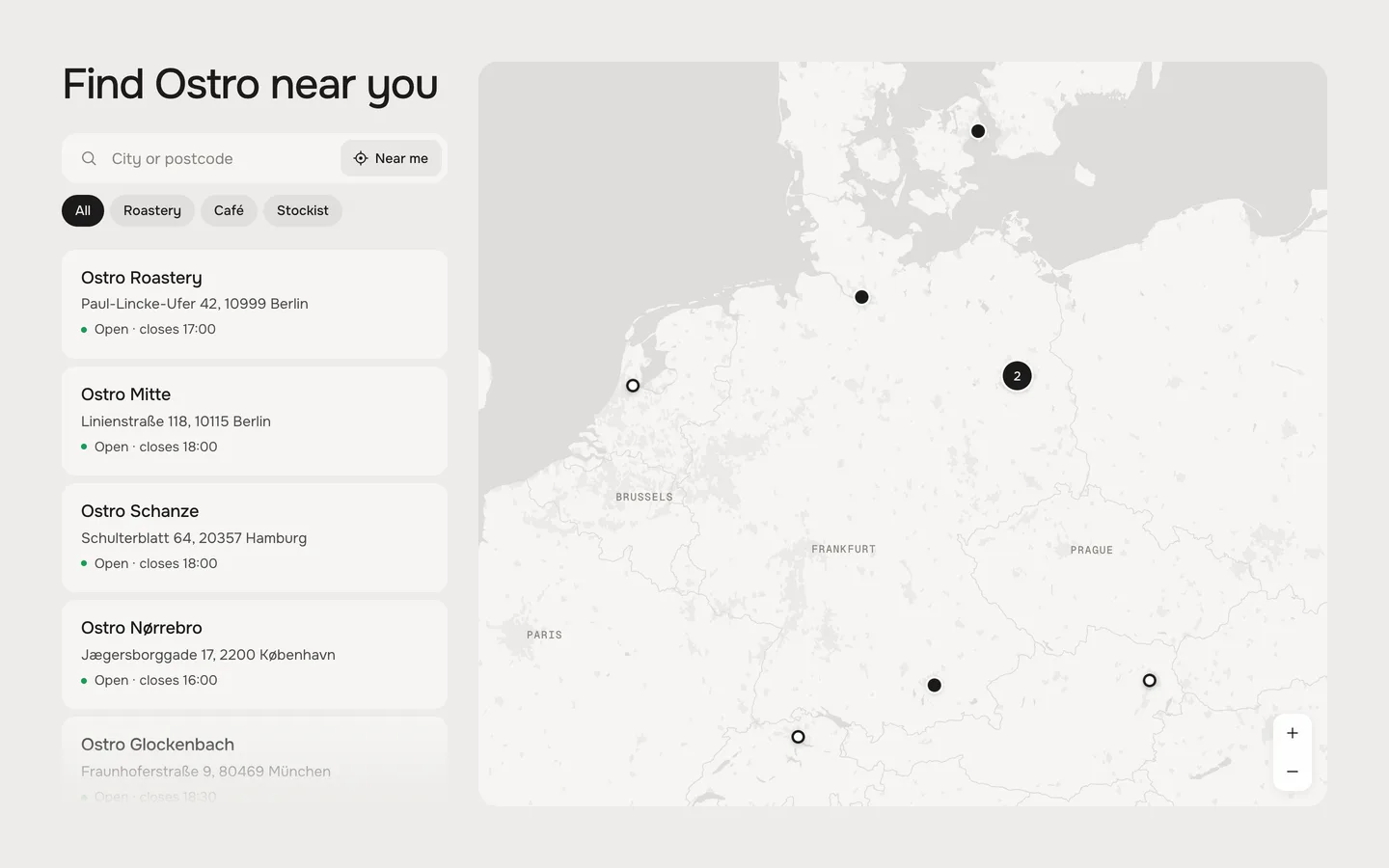
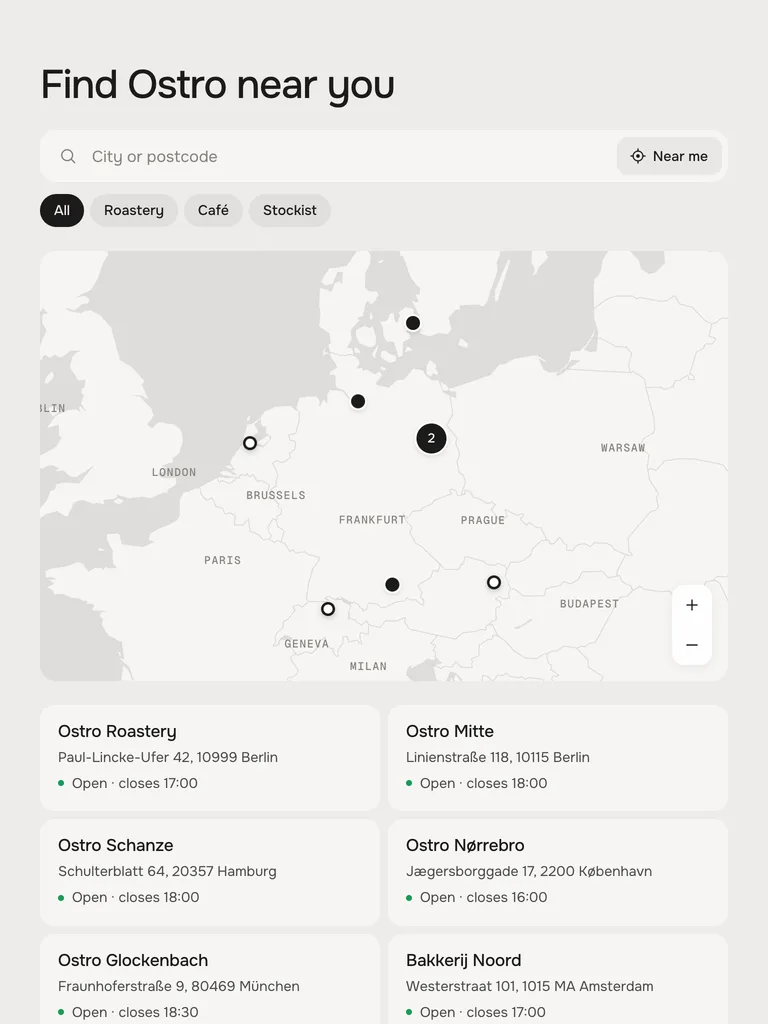
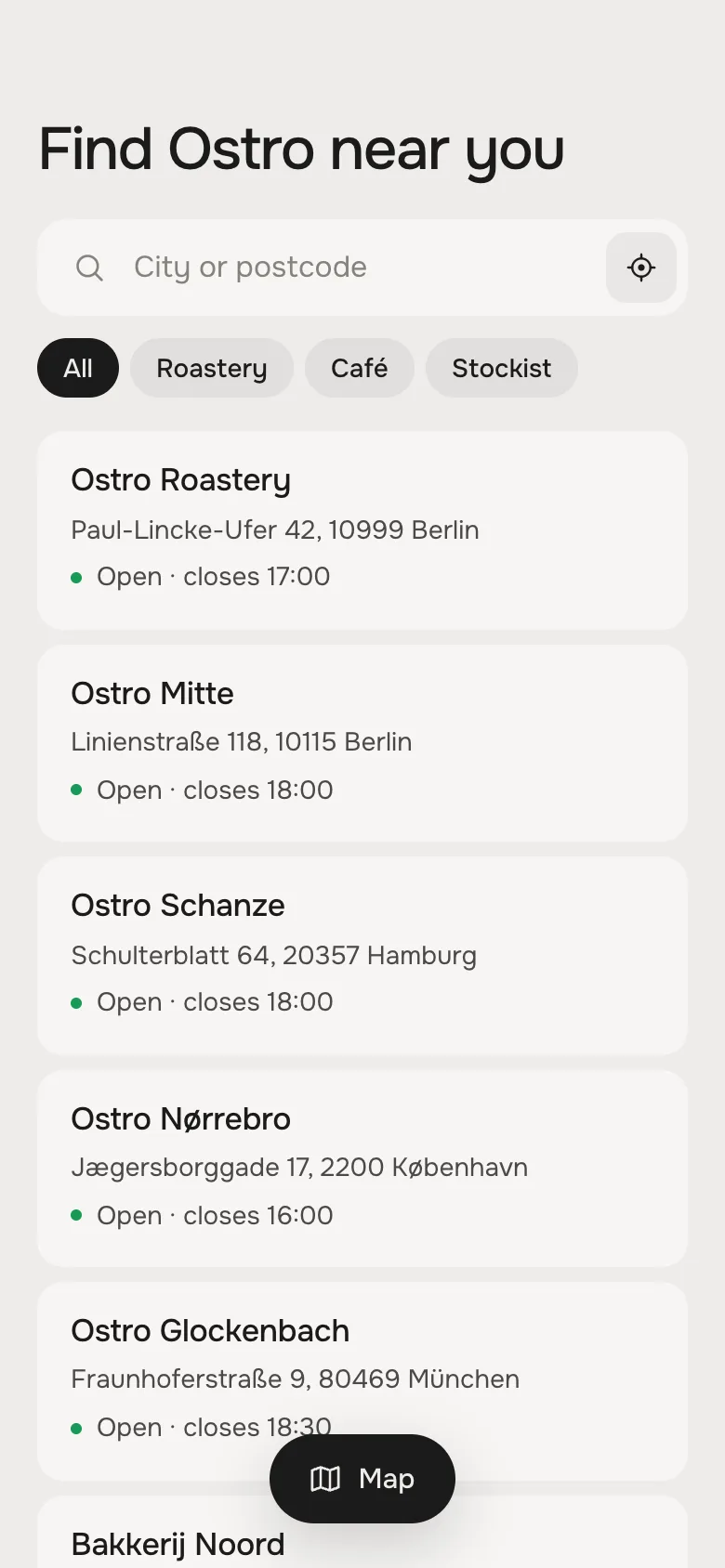
 DesktopTabletPhoneClassicList beside the mapMap on top, list in two columnsList, Map button opens the map full screenNightList on a glass panelMap, list as a sheet from belowMap, list as a sheet from belowA chosen storeOpens in the list (Classic) or as a glass card (Night)Opens in the list (Classic) or in the sheet (Night)Card at the bottom of the map (Classic) or in the sheet (Night)Near meButton with textButton with textIcon