Advent calendar for Shopify
Looking for an advent calendar app for your store?
An advent calendar for Shopify, without the app.
Each door opens on its day – it swings open, folds down or rolls up, depending on the look you pick. Behind it is a discount code, a product or an offer. For December, Black Week or any run of days – one section in your theme, free.
- No app
- No monthly fee
- One section, ~2 min
Why a section
Same result for your shoppers. No app behind it.
As many days as you need
Calendar apps are often built around 24 doors in December. Door Calendar takes 1 to 50 doors – for Advent, twelve days of Christmas, Black Week or a launch week.
No peeking at tomorrow
Tomorrow’s code can’t be found early – not even in the page’s source code. And changing the clock on a phone doesn’t open a door, because the store’s time counts.
No email wall
Visitors open doors without signing up. Remind me puts the next door in their calendar – no form, no data on your side.
Side by side
What you get – and what you don’t.
General comparison with advent calendar and gamification apps on the Shopify App Store, as of October 2026. Features differ from app to app – check the one you use.
What you get
A door a day, and something behind it.
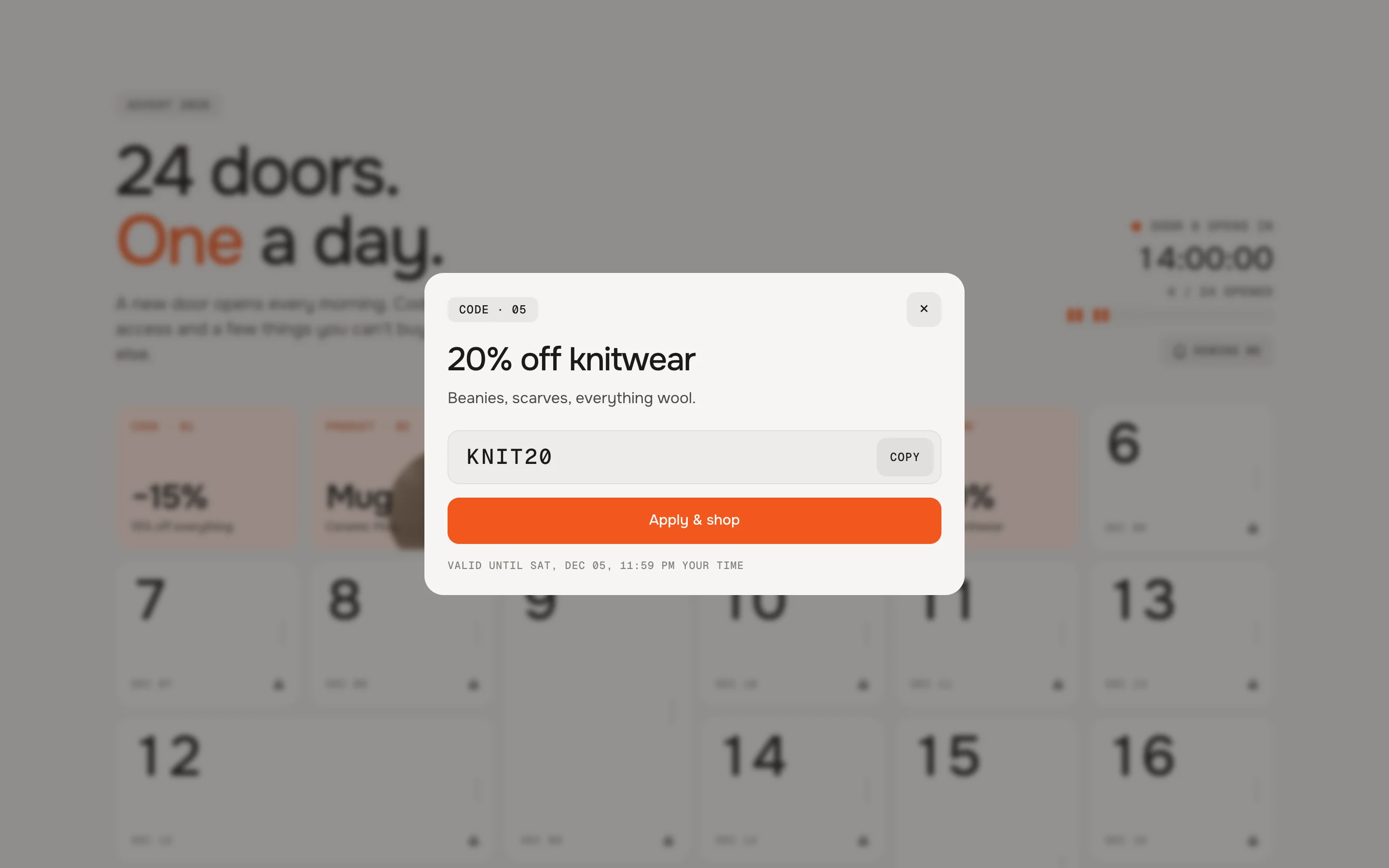
A discount code
Shoppers copy the code, or apply it with one tap so it’s already in their cart.
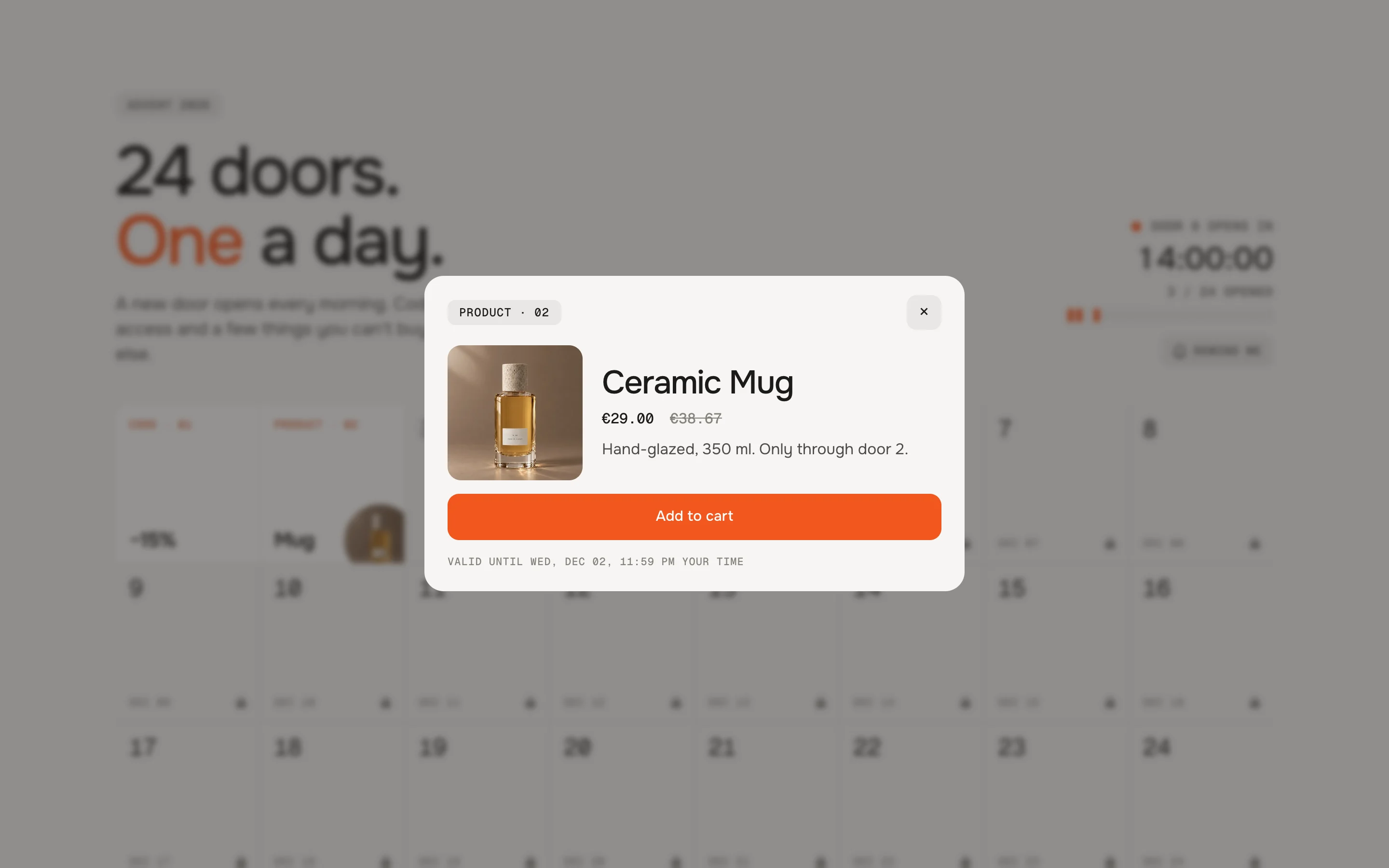
Or a product
Instead of a code, a door can hold a product – with its sizes or colours and add to cart.
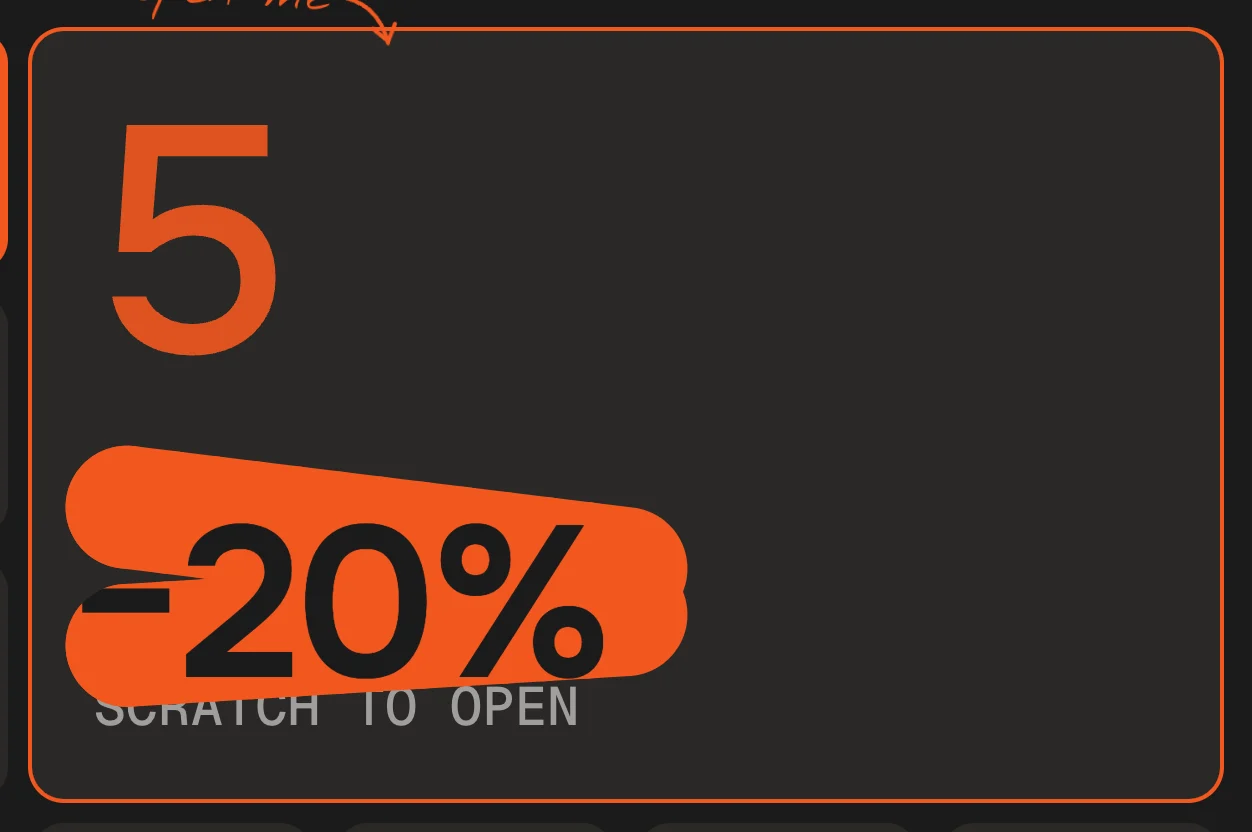
Or scratch it open
Instead of a door that opens, visitors can rub it free like a scratch card. You choose this for the whole calendar.
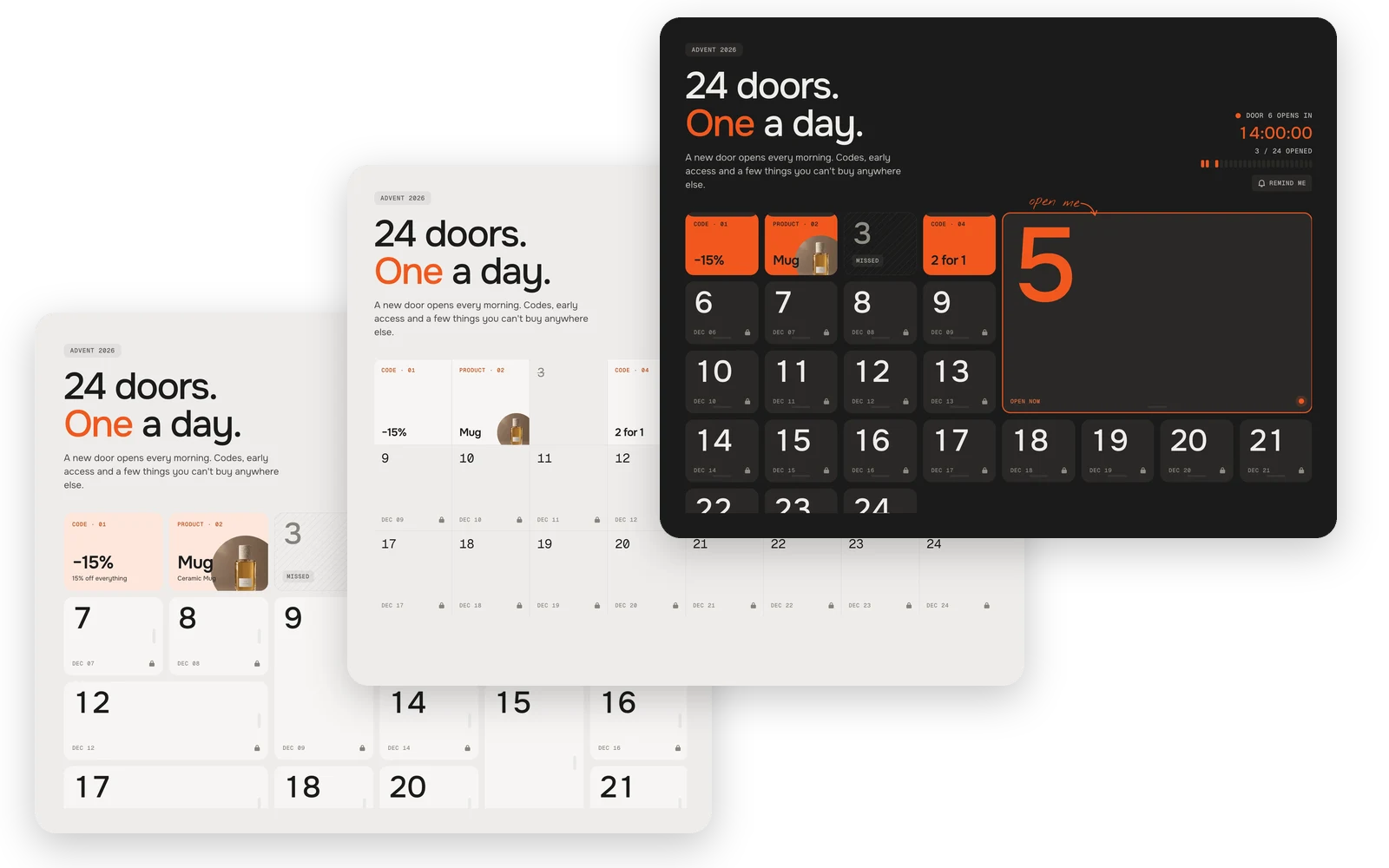
Three looks
From left to right: Classic doors swing open like real ones, in mixed sizes. Minimal is a calm grid of flaps that fold down. In Bold, today’s door is huge and rolls up like a shutter.
Fully customisable
113 settings · 1 block type – colours, fonts, every text and more, each one explained in the docs.
Setup
From copy to live in two minutes.
- 01
Copy
Leave your first name and email, the code is in your clipboard.
- 02
Paste
New file in your theme’s sections folder, paste, save.
- 03
Add
Theme editor → Add section. Set the first day and fill a block per door.
FAQ
Questions before you switch.
Is it really free?
Yes. During the launch every werk section is free – you only leave a first name and an email to copy the code. No account, no checkout.
Can visitors cheat by changing their clock?
No. Doors follow Shopify’s server time, and a door’s content isn’t in the page before its day.
Does it have to be 24 doors?
No. Anything from 1 to 50 – twelve days of Christmas, a Black Week or a launch week work the same way.
Do I need discount codes for every door?
Only for code doors. Create them in Shopify under Discounts and type each code into its door.
What happens with a missed door?
Your choice: it stays closed, it shows what was behind it, it stays open, or visitors can still open it for a few days.
Can it match my store’s design?
Yes. Pick one of three looks – Classic, Minimal or Bold – then change its colours and fonts, or let it use your theme’s.
Can visitors get a reminder?
Yes. Remind me adds the next door, or every door, to their calendar – no email needed.
More apps you can drop