Product quiz for Shopify
Looking for an Octane AI or RevenueHunt alternative?
A product quiz for Shopify, without the app.
Ask with picture tiles, lists or colour swatches, or let shoppers swipe cards. Every answer counts towards a result, and shoppers get the products that suit them best – ready to add to the cart. One section in your theme, free.
- No app
- No monthly fee
- One section, ~2 min
Why a section
Same result for your shoppers. No app behind it.
No cap on quiz takers
Many quiz apps price their plans by how many people take the quiz each month. Product Finder has no such limit – it runs for every visitor.
It looks like your store
Quiz widgets bring their own layout. Product Finder comes in three looks and can take your theme’s fonts, colours and buttons.
You see how it decides
While you build the quiz, a check in the theme editor shows which answer leads to which result. It warns you about typos and about results no answer leads to – so you fix them before shoppers see the quiz.
Side by side
What you get – and what you don’t.
General comparison with product quiz apps on the Shopify App Store, as of October 2026. Features differ from app to app – check the one you use.
What you get
From the first answer to the cart.
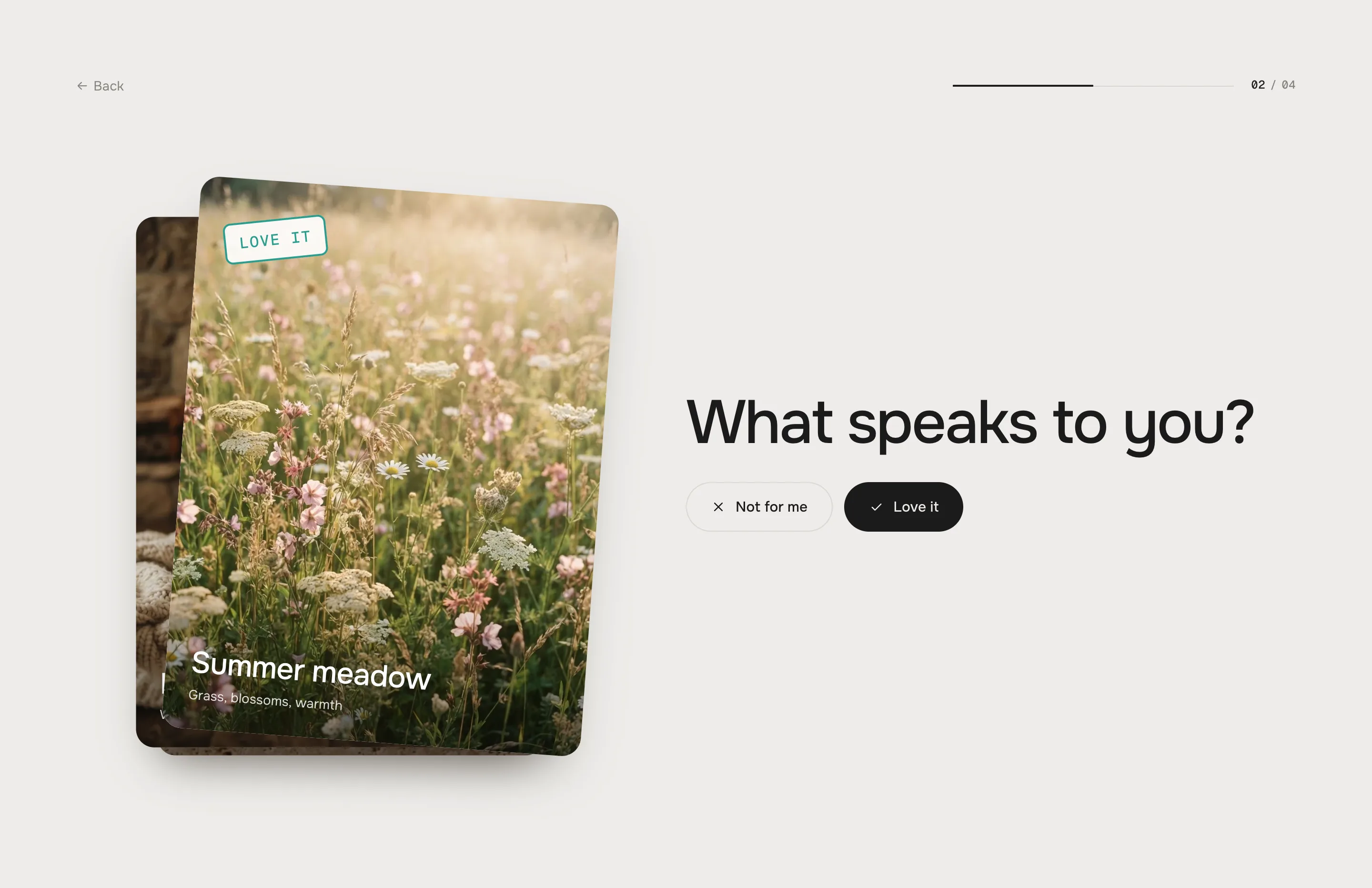
Ask or swipe
Ask questions, or let shoppers swipe cards left or right. Products they liked show up first in their result.
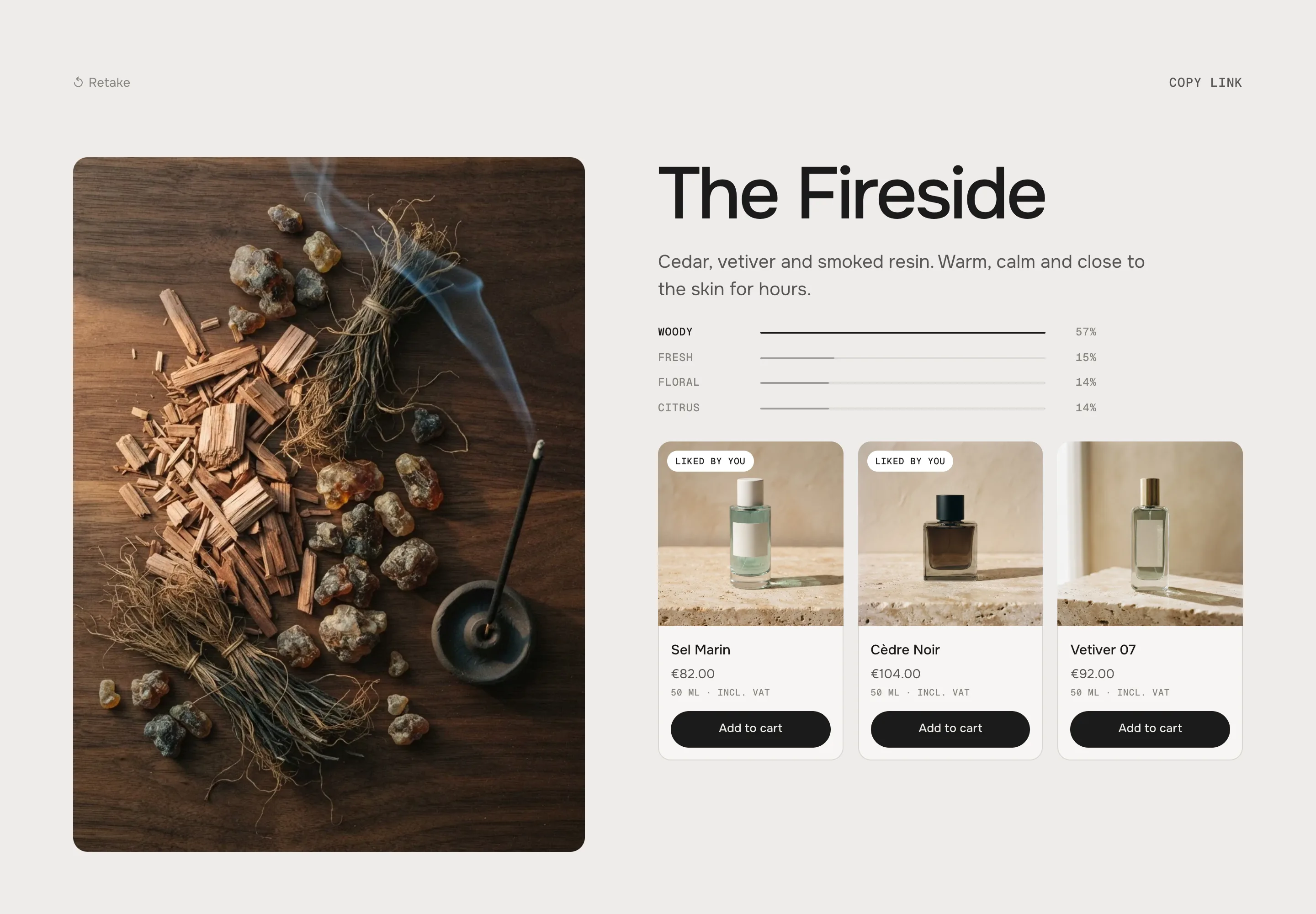
A result that sells
Every result has its own picture, text and products – with add to cart right on the result.
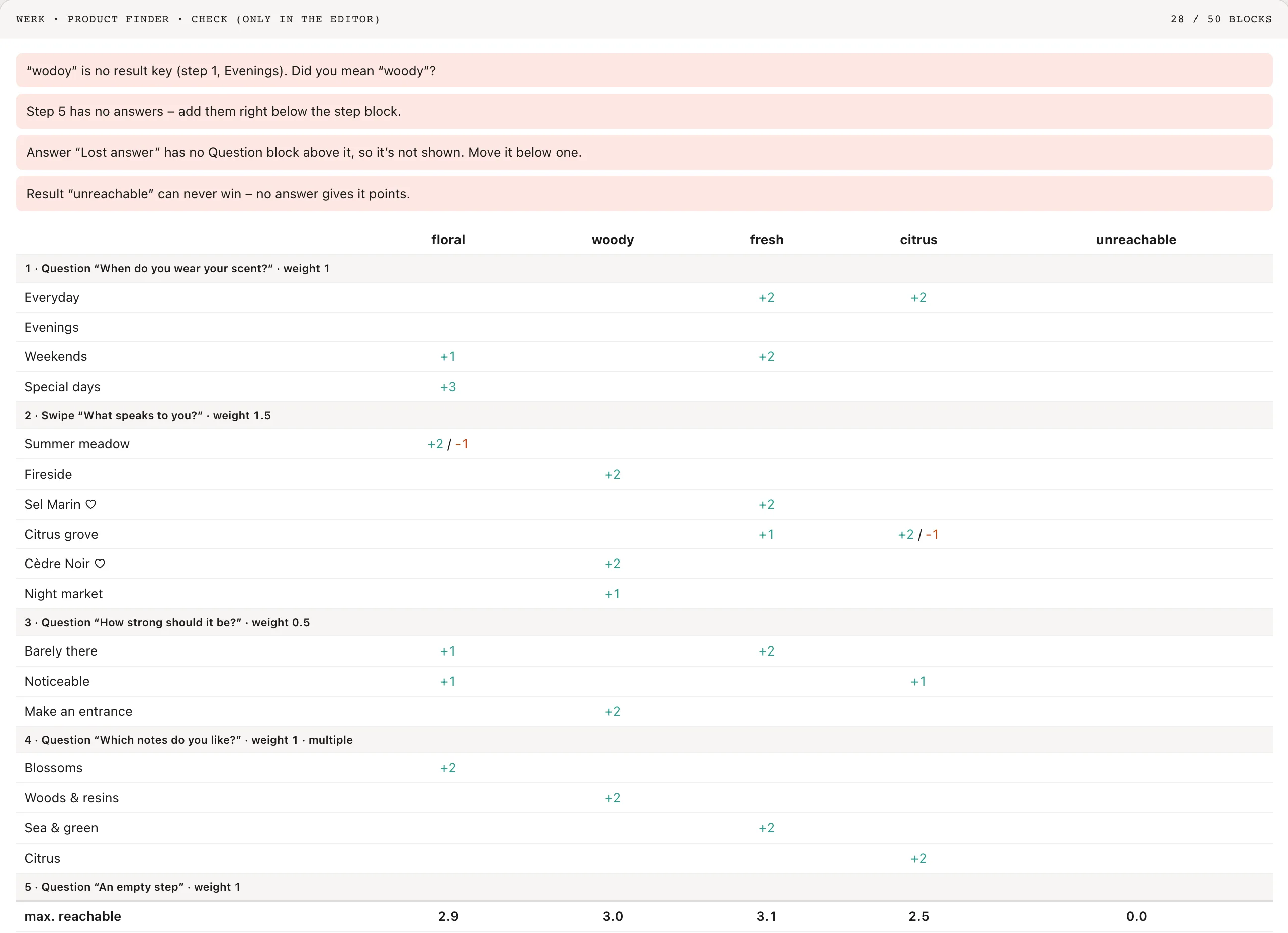
A check while you build
In the theme editor you see which answer leads to which result, with a warning for typos and for results no answer leads to.
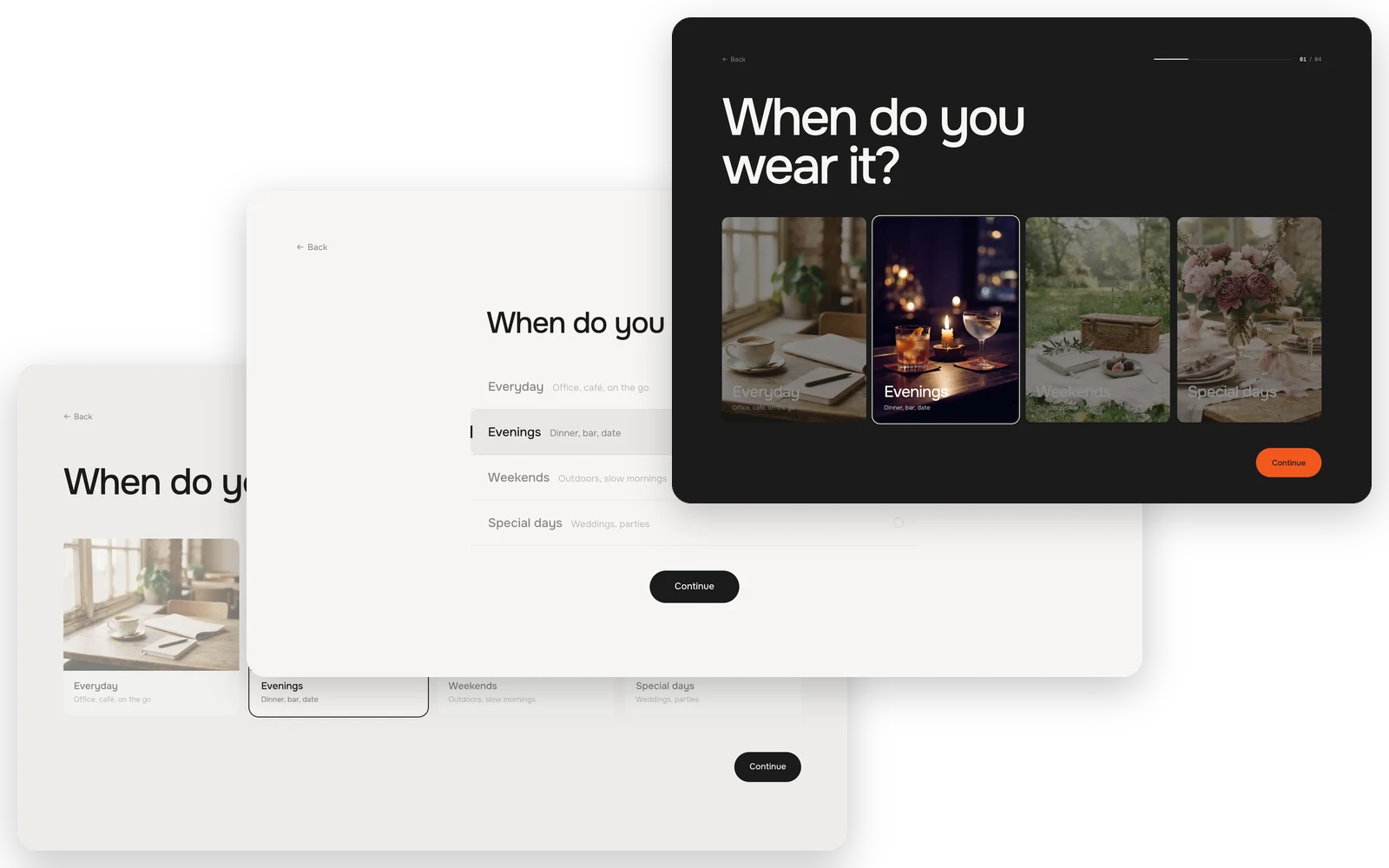
Three looks
Pick Classic, Minimal or Bold. In each, answers can be picture tiles, colour swatches or a simple list – in our design or your theme’s fonts and colours.
Fully customisable
128 settings · 6 block types – colours, fonts, every text and more, each one explained in the docs.
Setup
From copy to live in two minutes.
- 01
Copy
Leave your first name and email, the code is in your clipboard.
- 02
Paste
New file in your theme’s sections folder, paste, save.
- 03
Add
Theme editor → Add section. Write your questions and results.
FAQ
Questions before you switch.
Is it really free?
Yes. During the launch every werk section is free – you only leave a first name and an email to copy the code. No account, no checkout.
How does it pick the result?
Every answer and swipe card gives points to one or more result keys. Each step counts the same unless you weight it. On a tie the result higher up in your list wins, and if nothing scored at all, the one you marked as fallback shows.
Can it collect email addresses?
No. Product Finder doesn’t ask for an email before the result. If you need that, a quiz app or a newsletter form next to the section does it.
Can I see what shoppers answer?
Every start, step, result and add to cart is sent as a Shopify customer event. Read them with a custom pixel or pass them to your analytics tool.
Can shoppers share their result?
Yes. Copy link puts the page address with the result in it on the clipboard, and whoever opens it lands on that result right away.
What if I mistype a result key?
The check above the section in the theme editor flags it and suggests the key you probably meant. Shoppers never see the check.
More apps you can drop