Shoppable video for Shopify
Looking for a Tolstoy or Videowise alternative?
Shoppable video for Shopify, without the app.
Let your campaign film play in chapters. While a chapter runs, its product is shown right beside it – with sizes, price and add to cart. One section in your theme, free.
- No app
- No monthly fee
- One section, ~2 min
Why a section
Same result for your shoppers. No app behind it.
It looks like your store
Video apps bring their own player design. Shoppable Film comes in two looks and can take your theme’s fonts, colours and buttons.
No extra script
Apps load their own script and widget on top of your theme. Shoppable Film is plain Liquid, CSS and a little JavaScript that only runs where the section sits – so the rest of your store keeps its page speed.
Nothing left behind
Remove the section and the file, and it’s gone. No app embed, no leftover snippets in your theme.
Side by side
What you get – and what you don’t.
General comparison with video commerce apps on the Shopify App Store, as of October 2026. Features differ from app to app – check the one you use.
What you get
Shop while the film plays.
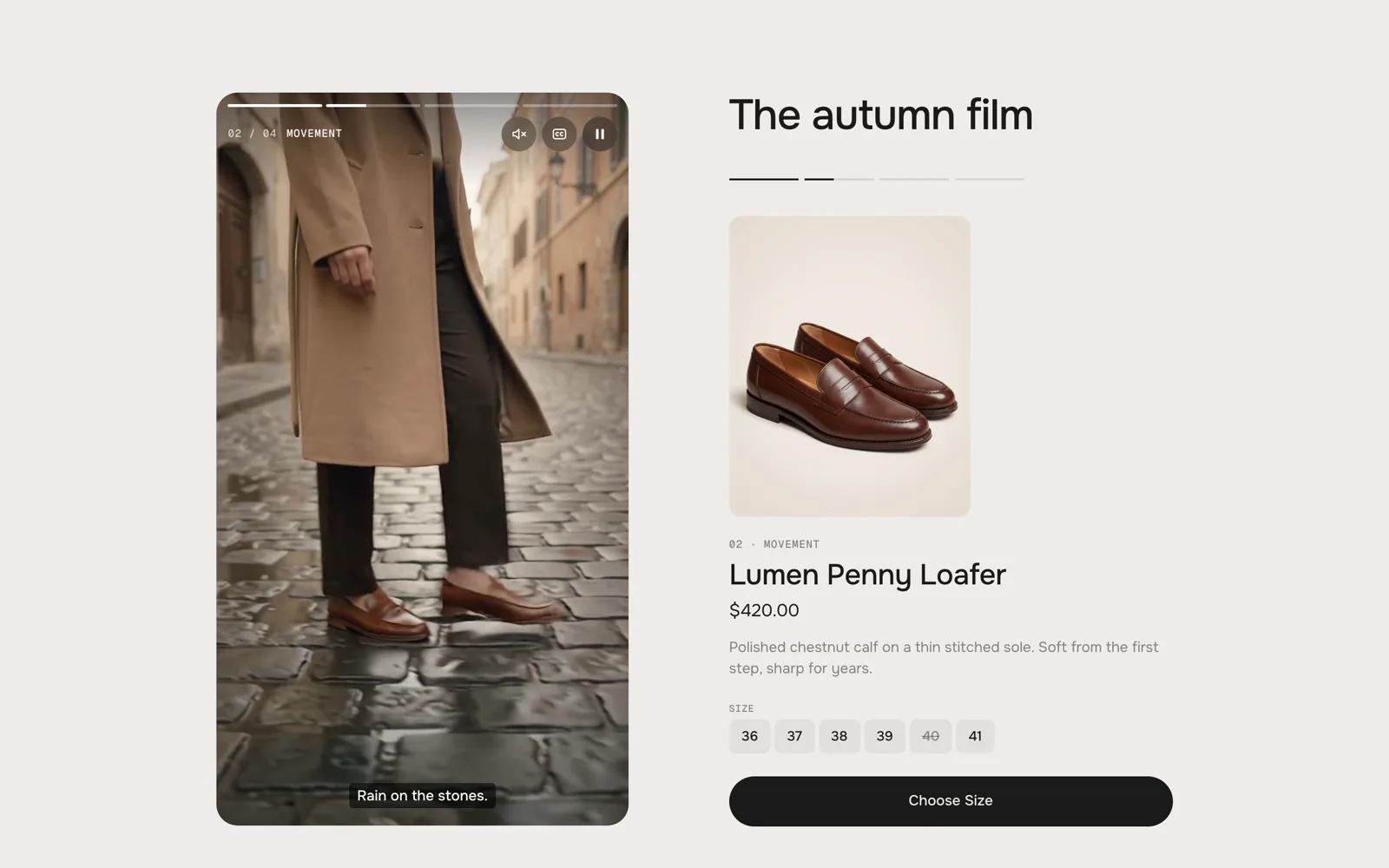
One product per chapter
The product of the running chapter is shown large beside the film – or as a card inside it.
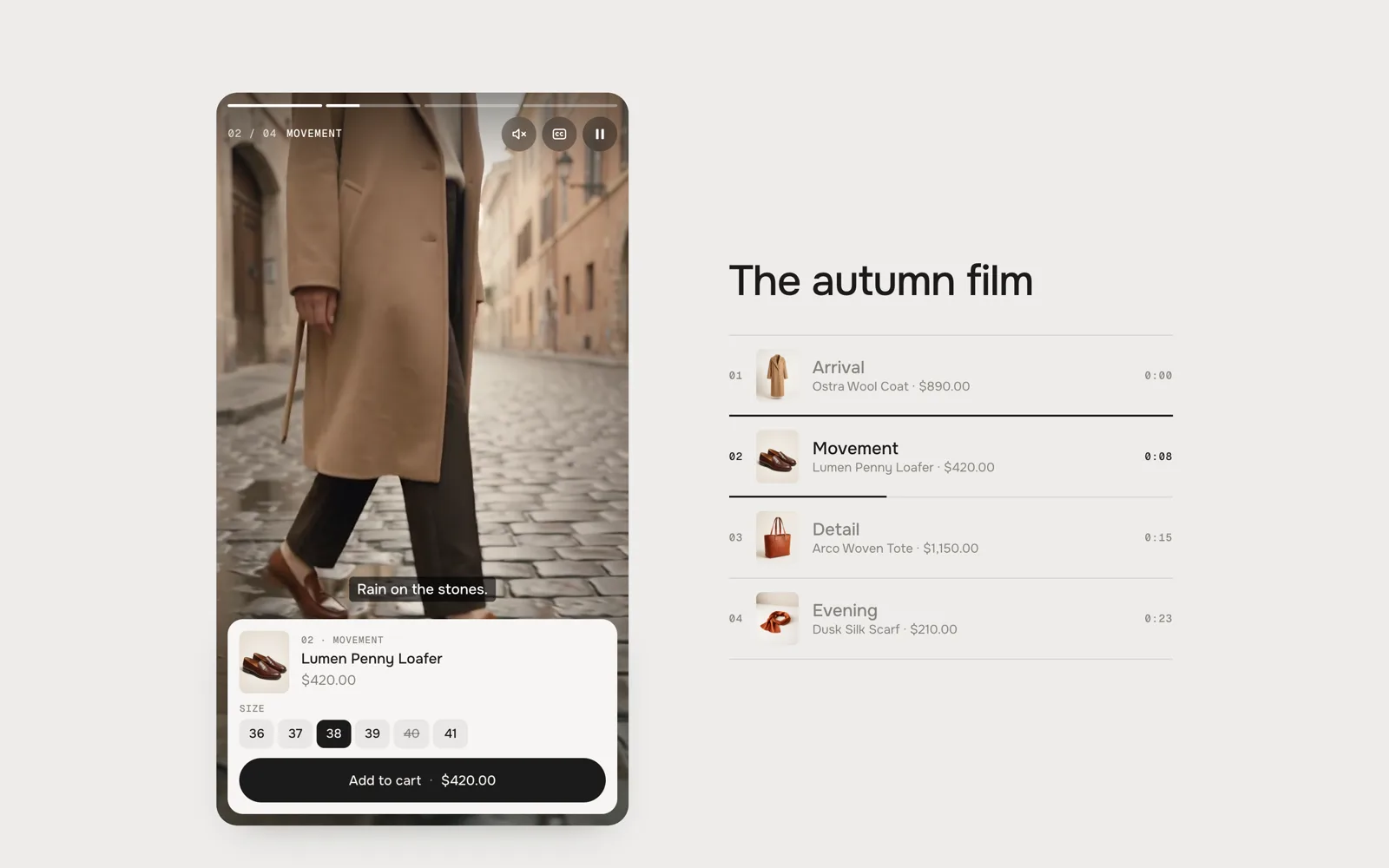
Sizes right in the card
Shoppers can pick a size and add to cart directly in the card. The film pauses while they choose.
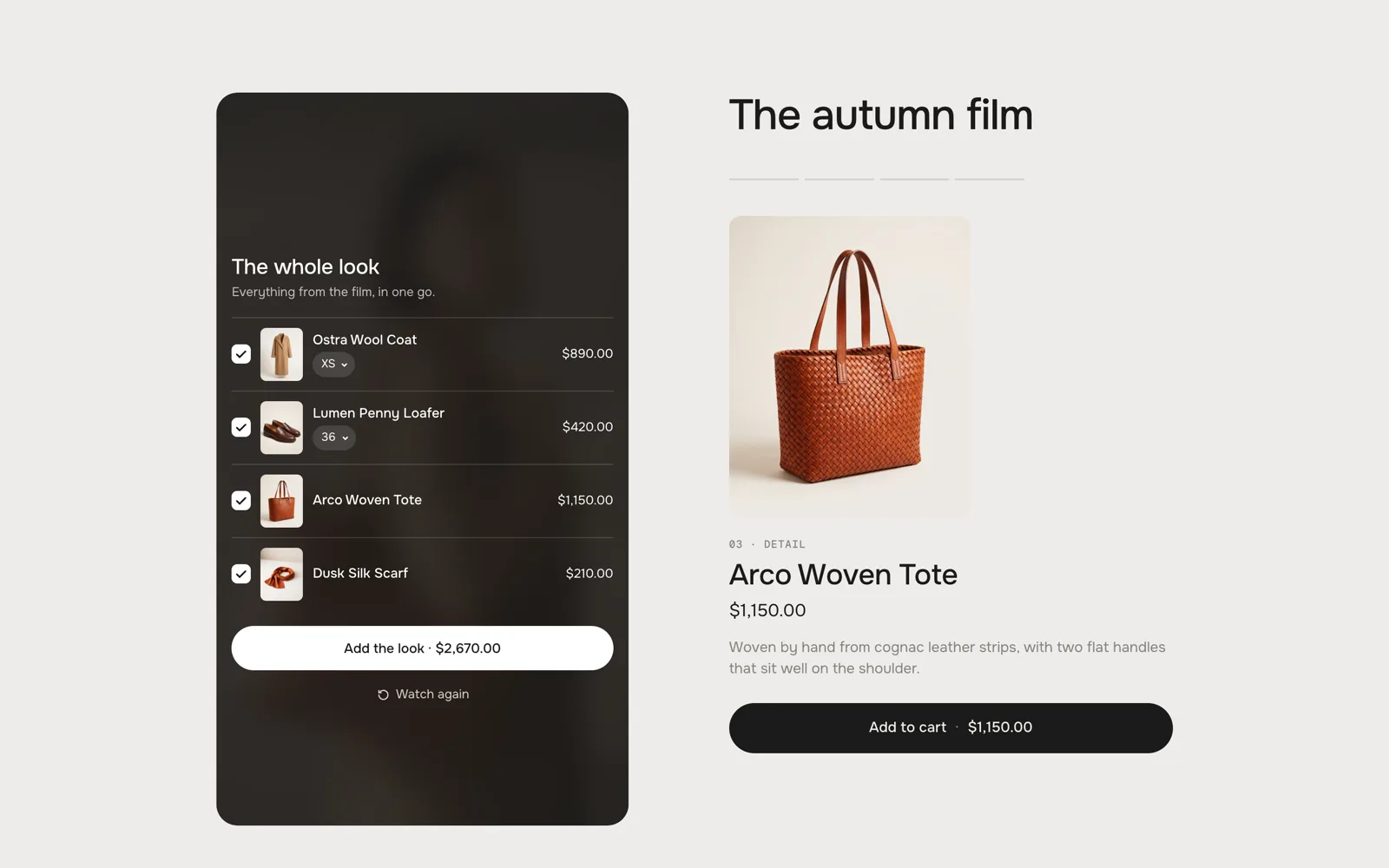
Shop the look
At the end, all products from the film are shown in one list – tick them, pick sizes and add them all at once.
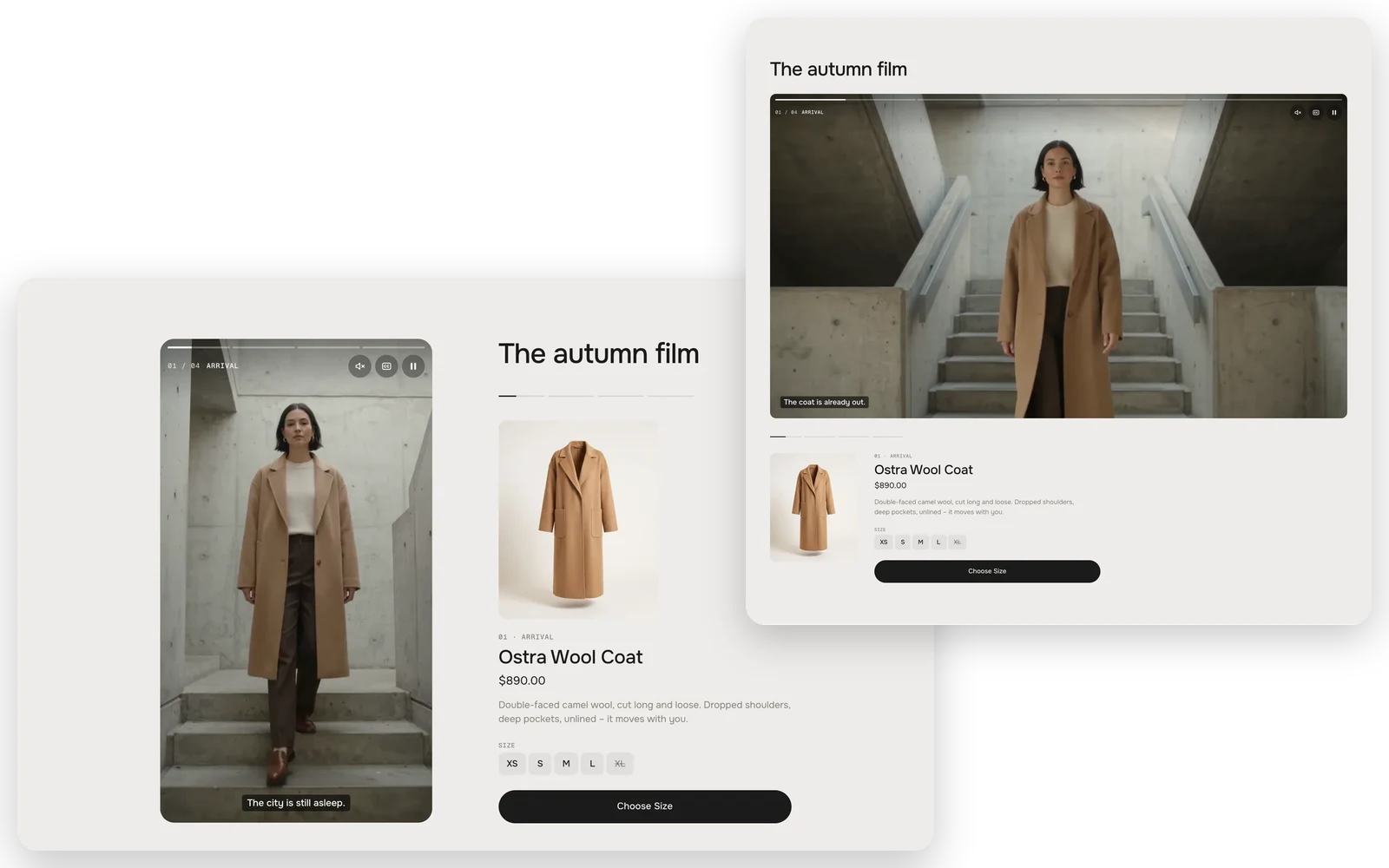
Reels or Cinema
Choose the Reels look for a 9:16 film like stories, or the Cinema look for a 16:9 film with the chapters underneath.
Fully customisable
58 settings · 1 block type – colours, fonts, every text and more, each one explained in the docs.
Setup
From copy to live in two minutes.
- 01
Copy
Leave your first name and email, the code is in your clipboard.
- 02
Paste
New file in your theme’s sections folder, paste, save.
- 03
Add
Theme editor → Add section. Pick your film and products.
FAQ
Questions before you switch.
Is it really free?
Yes. During the launch every werk section is free – you only leave a first name and an email to copy the code. No account, no checkout.
Can I use my own videos?
Yes. Upload them in your Shopify admin under Content → Files and pick them in the theme editor – no outside video host, no extra account.
One long film or a clip per chapter?
Both work. Give each chapter a start time in one film, or a separate clip per chapter – or mix the two.
Does the video slow down my store?
The film only loads when it comes into view, autoplays muted and never for visitors who prefer reduced motion. There is no app script on your other pages.
What happens while a customer picks a size?
The film waits. Nothing is preselected, so a click on Add to cart without a size points to the sizes instead of adding the wrong one.
Which themes does it work with?
Online Store 2.0 themes, which is almost every theme sold since 2021. We test every section in Horizon and Dawn.
More apps you can drop