Store locator for Shopify
Looking for a Stockist or Storemapper alternative?
A store locator for Shopify, without the app.
Every place that sells your products on one map. Visitors search, find the nearest shop, see who is open right now and get directions. No app, no Google key, free.
- No app
- No monthly fee
- One section, ~2 min
Why a section
Same result for your shoppers. No app behind it.
No Google key, no Google bill
Many locator apps need a Google Maps key, and Google bills by how often the map is shown. Store Locator draws the map itself, from free public map data – there is no map service behind it, so no account and no key.
No cookies from the map
The map files load from Shopify’s own servers, not from a map service like Google Maps, and they set no cookies. Street maps from Mapbox are optional and only load if you connect them.
Opening hours that update themselves
Write the hours the way they hang on your door, e.g. Mon–Fri 9–18. Each store then shows “Open”, “Closes in 25 min” or “Closed · opens Sat 9:00” – in its own time zone.
Side by side
What you get – and what you don’t.
General comparison with store locator apps on the Shopify App Store, as of October 2026. Features differ from app to app – check the one you use.
What you get
Find the nearest shop in one tap.
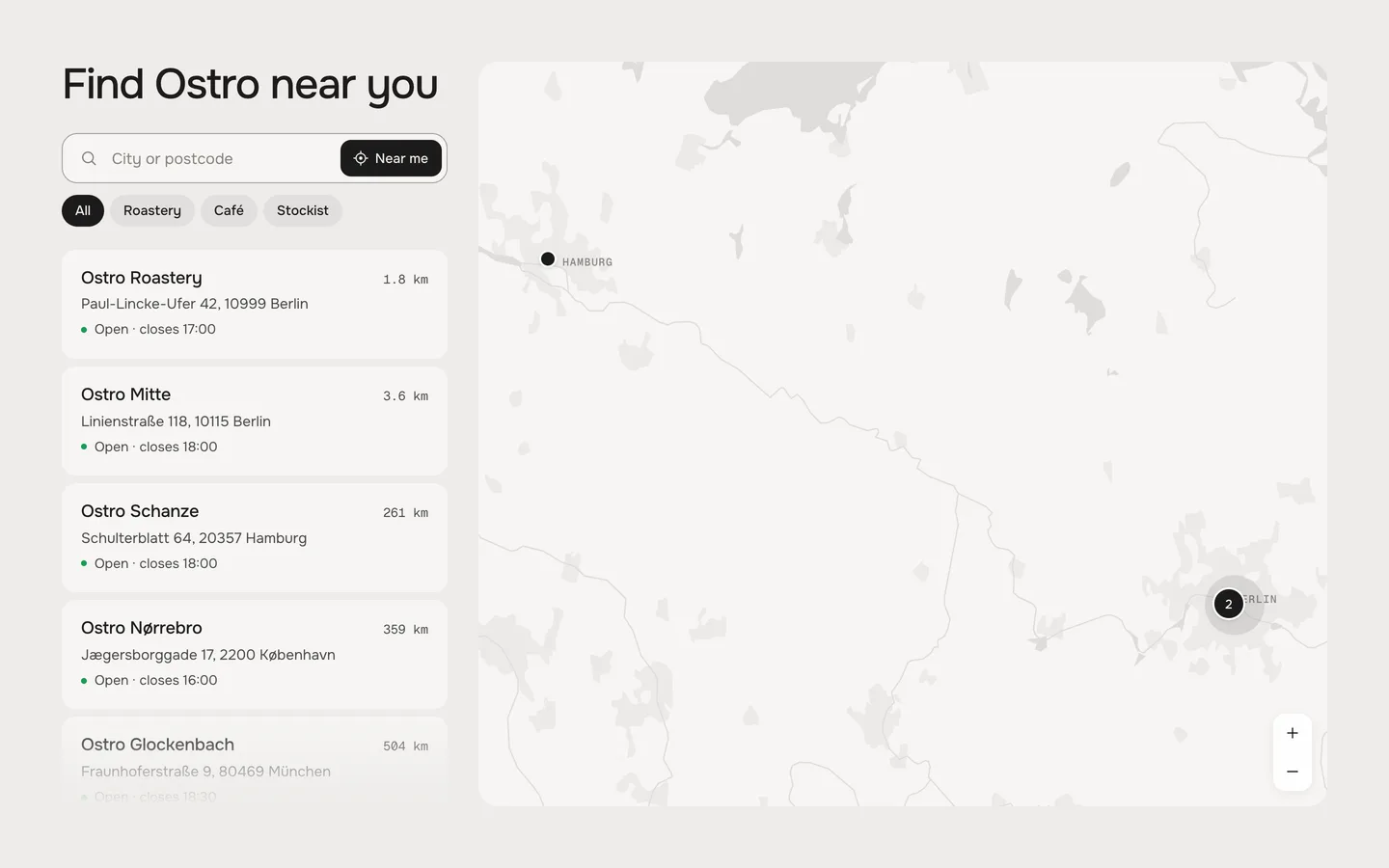
Near me
One tap sorts the stores by distance and moves the map to the nearest one. The browser asks for permission first, and the location stays on the visitor’s device.
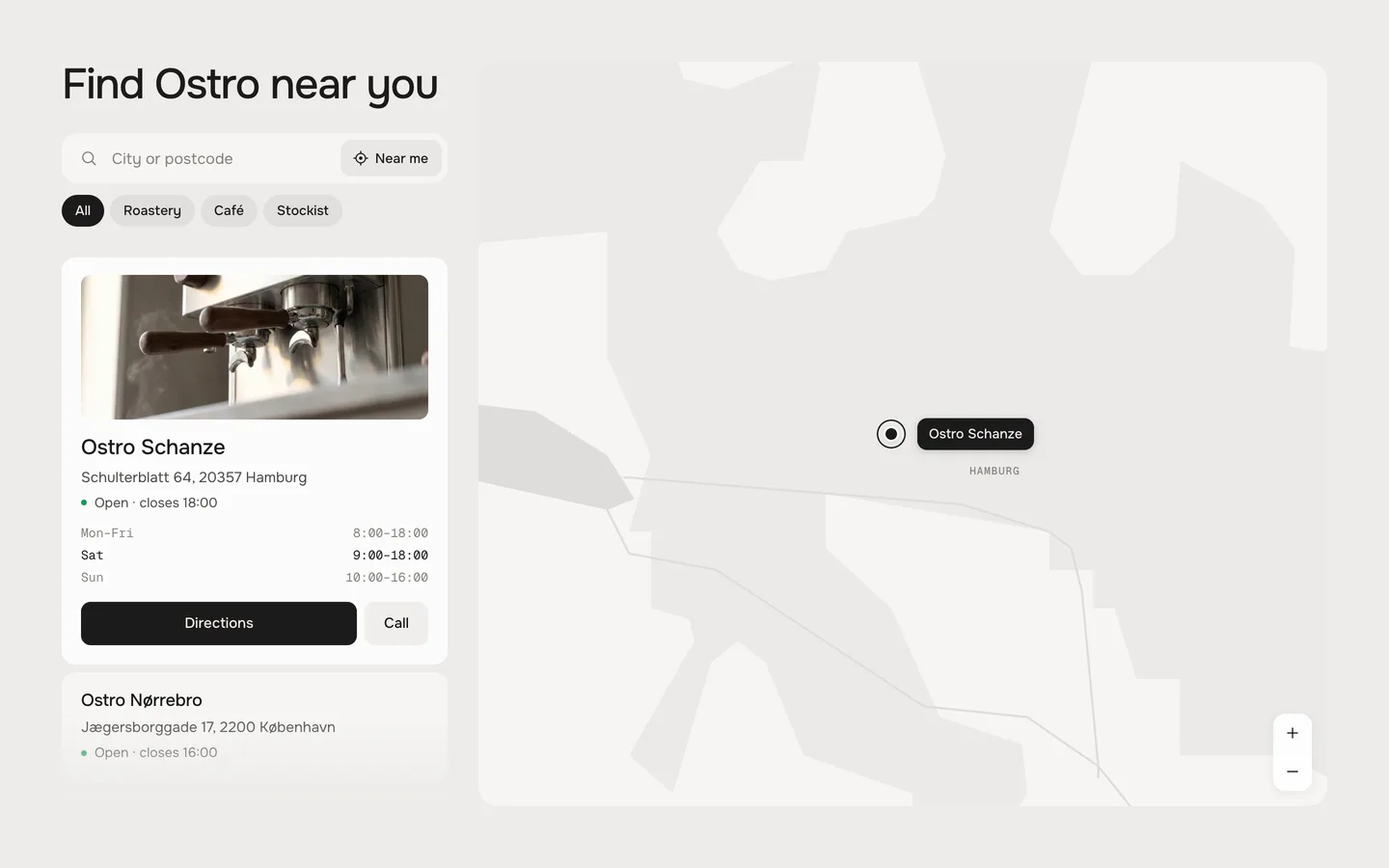
Open now
Every store shows whether it is open, when it closes and when it opens next. Holiday hours get their own line.
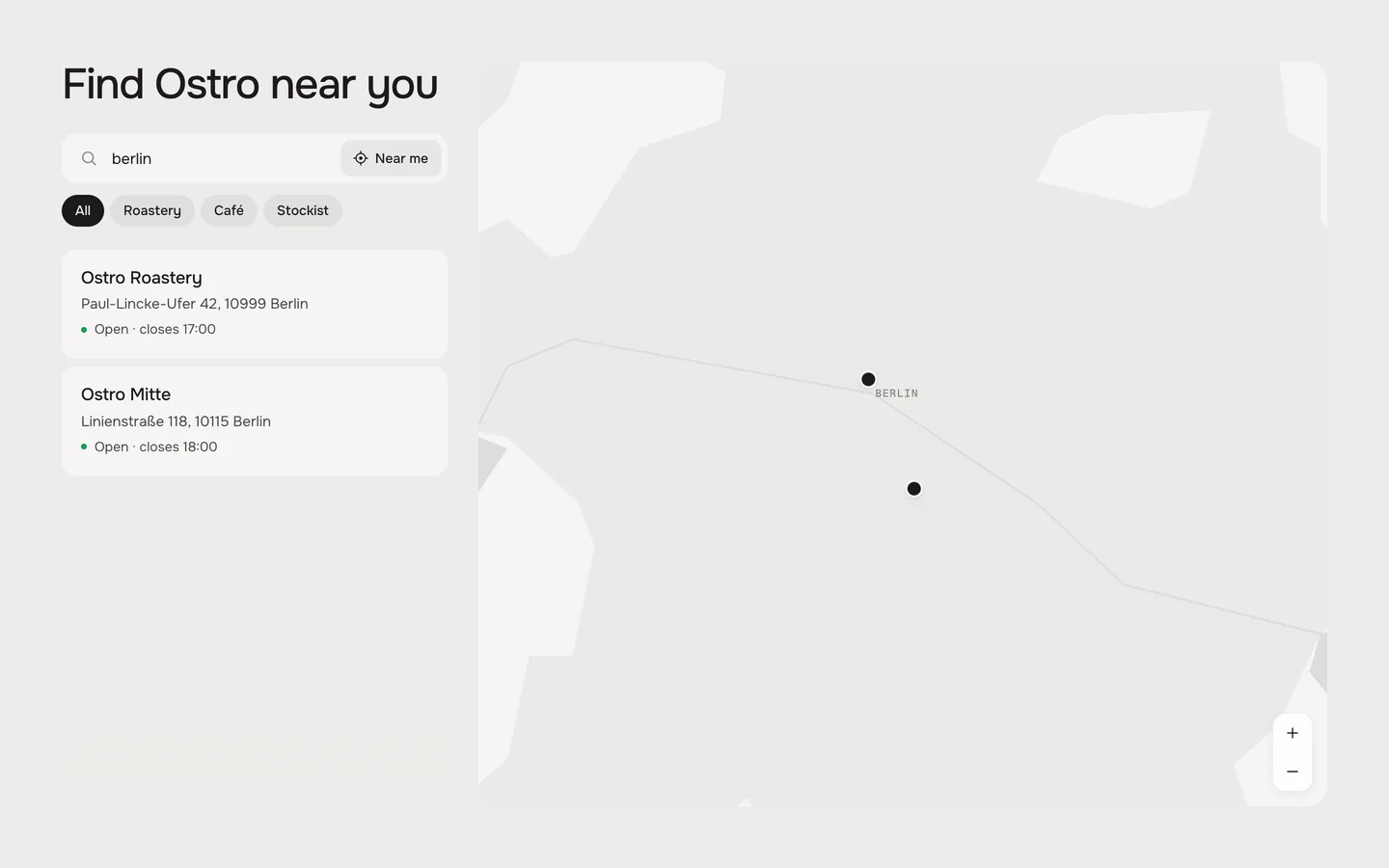
Search and filter
Visitors search by name, city or address, and filter by type – for example your own shops, cafés or stockists.
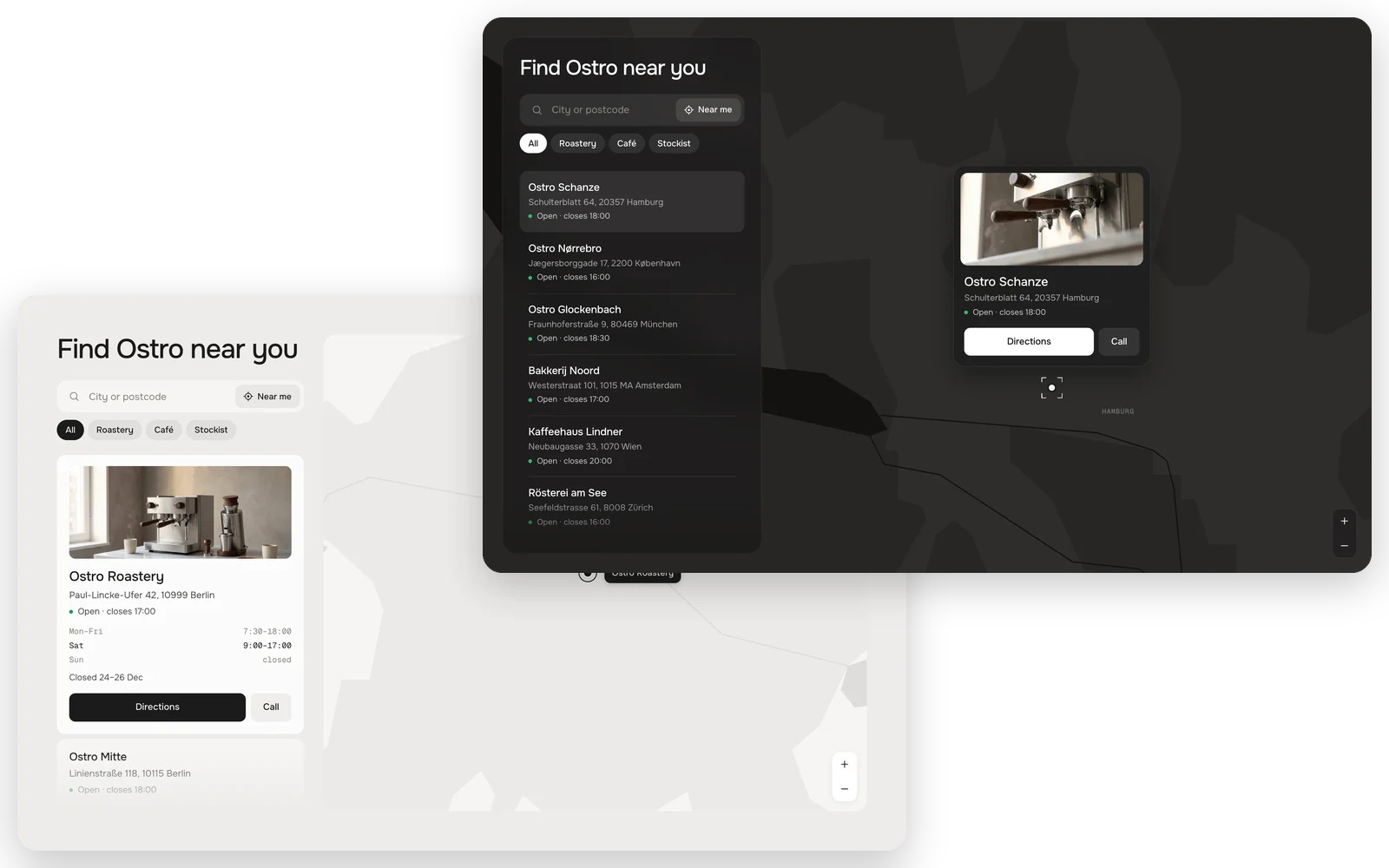
Classic or Night
Choose Classic with the list next to the map, or Night, where the map fills the section and the list floats on top.
Fully customisable
81 settings · 1 block type – colours, fonts, every text and more, each one explained in the docs.
Setup
From copy to live in two minutes.
- 01
Copy
Leave your first name and email, the code is in your clipboard.
- 02
Paste
New file in your theme’s sections folder, paste, save.
- 03
Add
Theme editor → Add section. Add one block per store and paste its location from Google Maps.
FAQ
Questions before you switch.
Is it really free?
Yes. During the launch every werk section is free – you only leave a first name and an email to copy the code. No account, no checkout.
Do I need a Google Maps key?
No. The section draws the map itself from free public map data, which loads from Shopify’s servers. For street-level maps you can connect Mapbox – that is optional.
How do I get a store onto the map?
In Google Maps, right-click the place and click the coordinates at the top of the menu to copy them. Paste them into the store’s block – the long Google Maps link works too.
How many stores can I add?
Up to 50, one block each. If you have hundreds of stockists, a locator app with CSV import is the better tool.
How close can visitors zoom in?
Down to a single city: they see the city area, water and rivers, but no streets. Streets only show with Mapbox.
Does Near me track visitors?
No. The browser asks for permission, sorts the list on the page and keeps the location to itself.
More apps you can drop